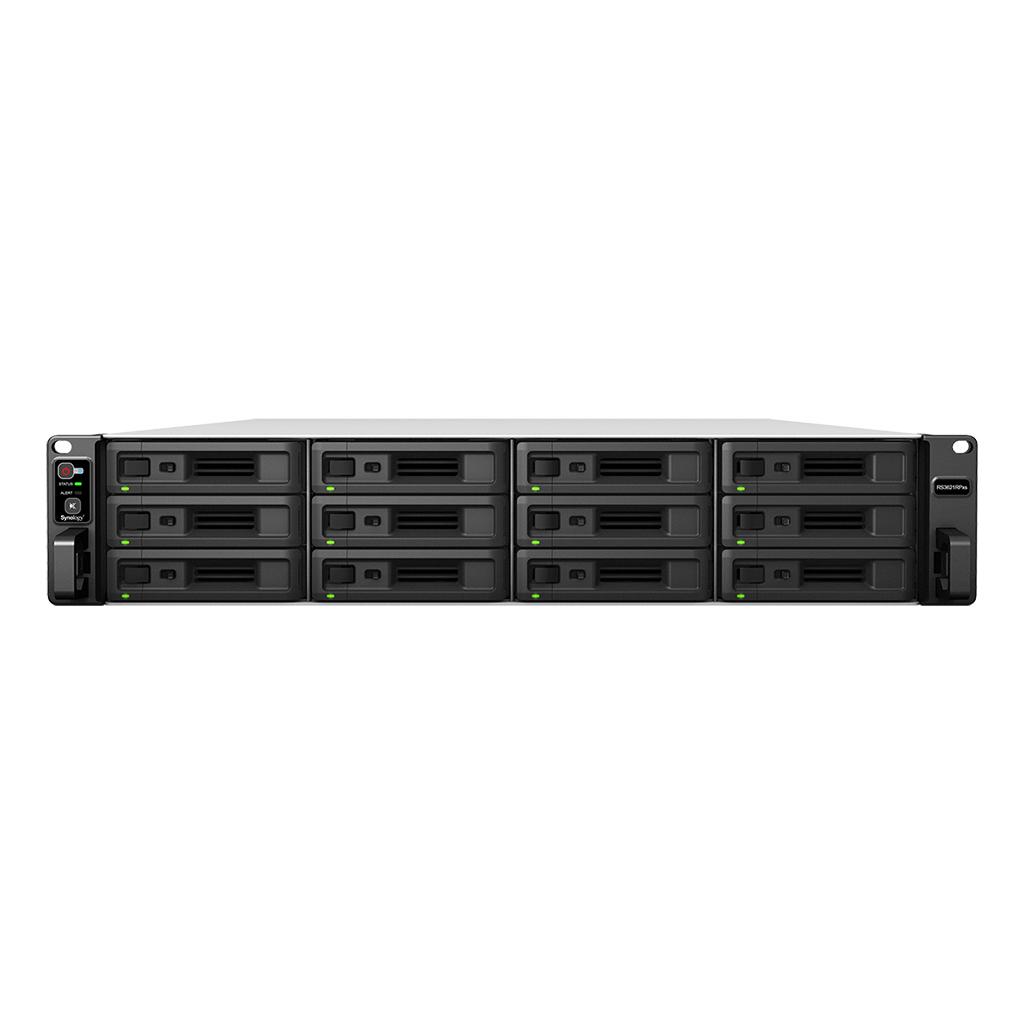
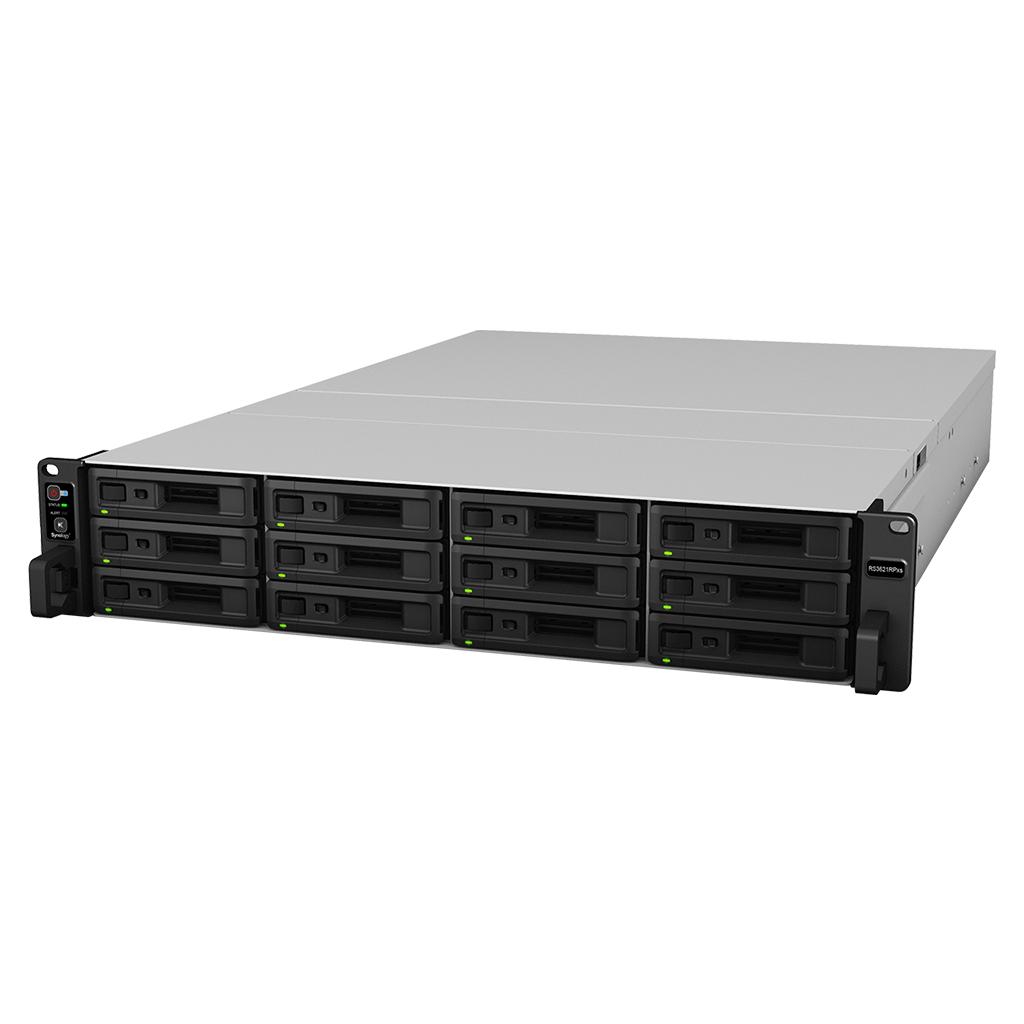
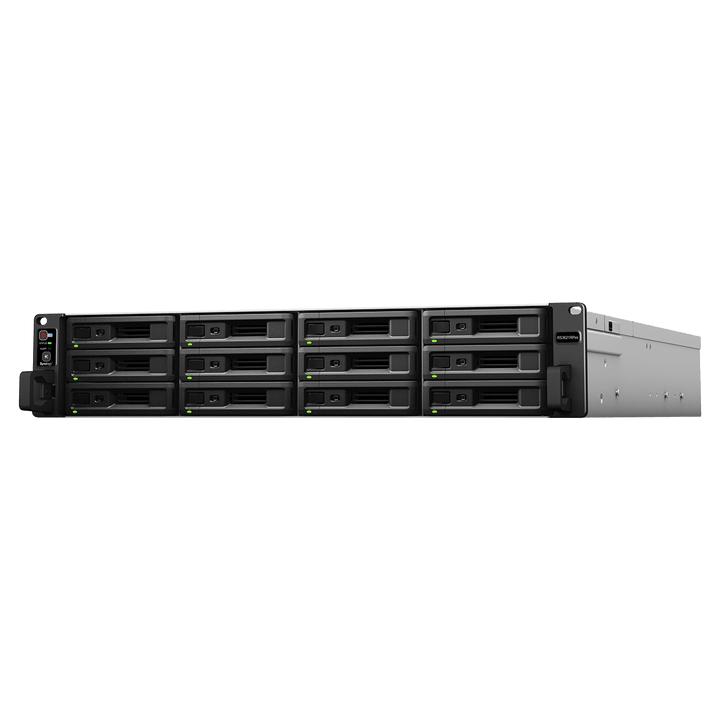
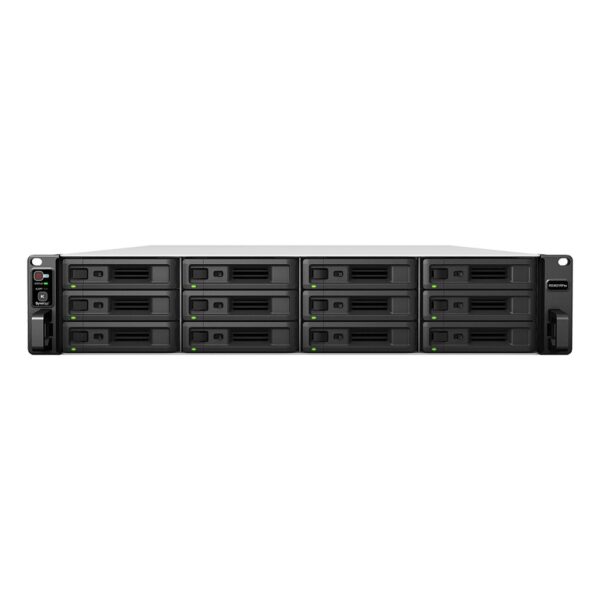
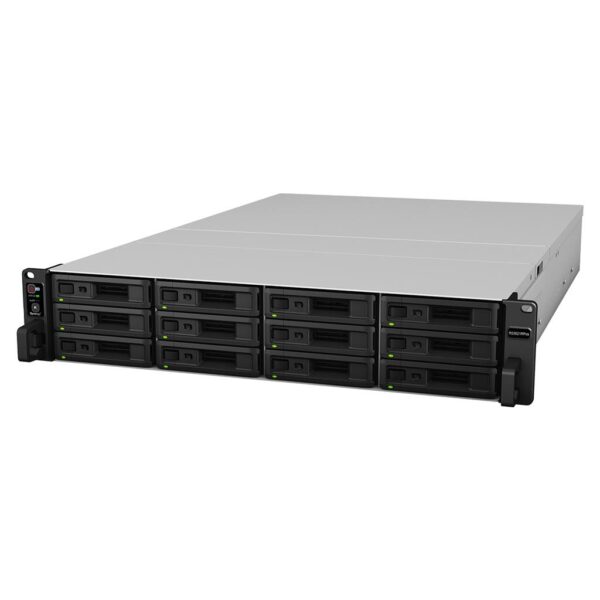
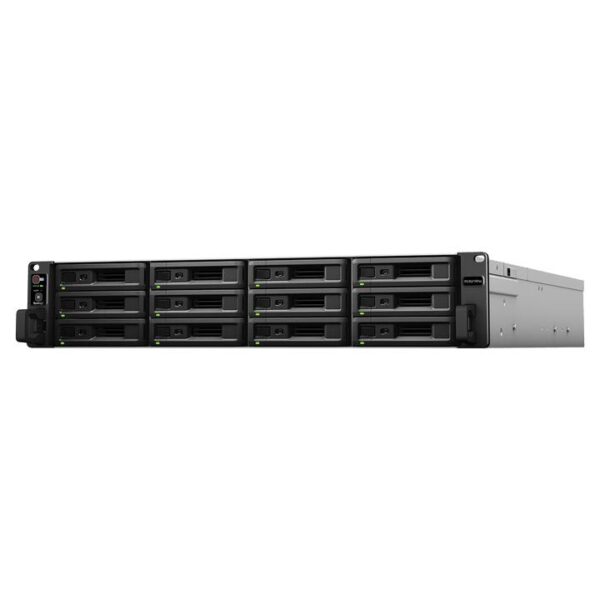
Synology RS3621RPxs 12-Bay Rackmount NAS | Enterprise Storage, Data Protection & Virtualization Solution

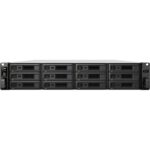
The Synology RS3621RPxs is a high-performance 12-bay rackmount NAS built for enterprise storage, virtualization, and advanced backup. Designed for demanding business workloads, it delivers exceptional throughput, scalability, and robust data protection.

We are trying hard to provide best price, still not satisfied. Let us know


    Please prove you are human by selecting the car.

    • Pick up from the FGTECH Store

    To pick up today

    0-1 Days

    Free

    • Courier delivery

    Our courier will deliver to the specified address

    4-7 Days

    Free

    • Porter / WeFast

    Currently available only in Mumbai

    0-1 Days

    To be paid directly to service vendor

    • Fast Delivery ( By Air )

    We will ship from your product By Air to nearest center to speed up the delivery

    2-4 Days

    Start from Rs250 Extra

    SKU: FGIN18IX5LU8 Categories: , Brand:
    Description

    Why Choose Synology RS3621RPxs Product?

    The Synology RS3621RPxs is engineered for businesses requiring reliable storage with enterprise-grade protection and performance. Featuring a powerful 6-core Intel Xeon processor, redundant power supplies, and expansion up to 36 drives, it provides a scalable platform for virtualization, collaboration, surveillance, and backup. DSM-powered applications simplify IT management while ensuring high availability and business continuity.


    Core Features & Benefits

    Centralized Storage & Scalability

    The Synology RS3621RPxs includes 12 drive bays supporting both 3.5″ SATA HDDs and 2.5″ SATA SSDs. It can scale up to 36 drives using expansion units, making it suitable for growing enterprise data environments and large-scale storage deployments.

    Connectivity & Compatibility

    Equipped with four 1GbE LAN ports and dual PCIe Gen3 slots, the system supports high-bandwidth networking upgrades including 10GbE and 25GbE NICs. It integrates seamlessly with VMware vSphere, Microsoft Hyper-V, Citrix Hypervisor, and OpenStack environments.

    Performance & Hardware

    Powered by an Intel Xeon D-1531 6-core processor with ECC memory, the system delivers over 315,000 random read IOPS and 4,600 MB/s sequential read performance, ensuring smooth handling of virtualization, databases, and multi-user workloads.

    Software & Ecosystem (DSM)

    Running on Synology DiskStation Manager (DSM), the NAS provides a centralized platform for file sharing, synchronization, collaboration, and system management. Applications such as Synology Drive, MailPlus, Chat, and Calendar support modern team productivity in a secure private cloud environment.

    Security & Data Protection

    The system leverages the Btrfs file system with advanced snapshot technology, file self-healing, inline compression, and flexible storage quotas. Snapshot Replication and Hyper Backup provide comprehensive disaster recovery and backup capabilities for enterprise environments.

    Virtualization & Surveillance

    The Synology RS3621RPxs supports Synology Virtual Machine Manager for running Windows, Linux, and Virtual DSM instances. It also functions as a powerful NVR with Surveillance Station support for up to 75 IP cameras, making it suitable for enterprise surveillance deployments.


    Key Features & Highlights

    • 12-Bay Rackmount NAS – Expandable up to 36 drives
    • Intel Xeon 6-Core CPU – Enterprise-grade performance
    • Up to 4,600 MB/s Read Speed – High throughput
    • 315K+ IOPS – Optimized for virtualization
    • Redundant Power Supplies – Business continuity
    • Dual PCIe Expansion Slots – Flexible upgrades
    • 10GbE / 25GbE Support – High-speed networking
    • DSM OS – Advanced data management platform
    • Supports 75 IP Cameras – Surveillance-ready
    • 5-Year Warranty – Long-term reliability

    Hardware Overview

    Synology RS3621RPxs
    4

    Front Panel

    • Power button & indicator
    • Alert off button
    • Drive trays
    • Drive status indicators

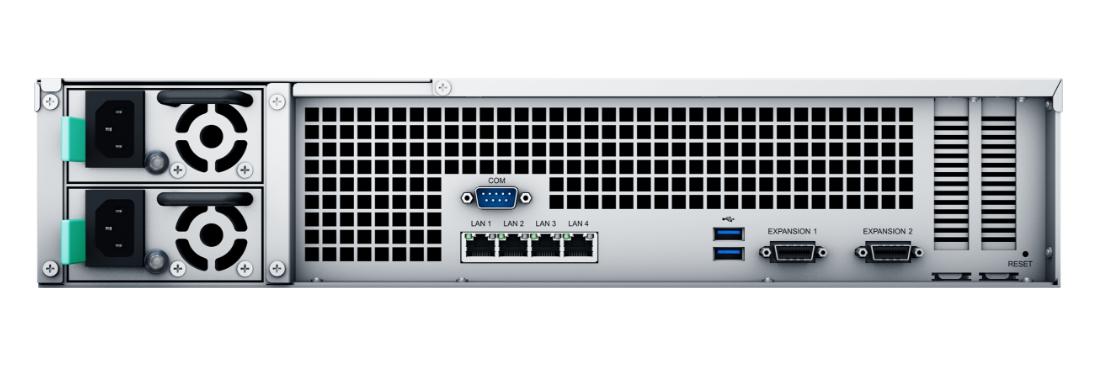
    Rear Panel

    • Redundant power supply units
    • PSU indicators & alert off buttons
    • PSU fans
    • Console port
    • 4 x 1GbE RJ-45 ports
    • USB 3.2 ports
    • Expansion ports
    • PCIe expansion slots
    • Reset button

    Software & Ecosystem

    The NAS runs on Synology DSM and supports SMB, NFS, FTP, WebDAV, Rsync, iSCSI, Fibre Channel, LDAP, and CalDAV protocols. Built-in applications include Synology Drive, MailPlus, Chat, Office, Active Backup Suite, Hyper Backup, and Virtual Machine Manager for enterprise collaboration, protection, and virtualization.


    Ideal Use Cases

    • Enterprise Storage – Large-scale centralized data management
    • Virtualization Infrastructure – Host virtual machines and storage
    • Backup & Disaster Recovery – Protect business-critical systems
    • Private Cloud – Secure collaboration and file sharing
    • Surveillance Storage – Enterprise-grade IP camera recording
    • Multi-Site Deployment – Branch office storage consolidation

    FAQs

    1. How many drives does it support?
    It supports 12 drives and can expand up to 36 drives.

    2. Does it support high-speed networking upgrades?
    Yes, it supports optional 10GbE and 25GbE NIC upgrades.

    3. Is it suitable for virtualization?
    Yes, it supports VMware, Hyper-V, Citrix, OpenStack, and Synology Virtual Machine Manager.

    4. Does it include redundant power supplies?
    Yes, it comes with dual redundant power supplies for business continuity.

    5. What warranty does it include?
    It comes with a 5-year limited hardware warranty.

    About Synology

    Synology NAS Storage, Backup & Surveillance Solutions in India | FGTECH

    Buy Synology NAS in India – Secure Storage, Backup & Private Cloud

    Synology is a global leader in network attached storage (NAS), backup, and surveillance solutions, designed for home users, small businesses, and enterprise environments.

    At FGTECH, we offer genuine Synology NAS systems in India, backed by GST billing, expert consultation, and compatibility guidance to help you build a reliable storage setup.

    Whether you need a private cloud, office file server, CCTV storage, or automated backup system, Synology provides a scalable, long-term solution without recurring cloud costs.

    What is Synology NAS? 

    Synology NAS is a centralized storage device that connects to your network, allowing you to store, access, and manage data from anywhere.

    Key Functions

    • File storage & sharing
    • Remote access (mobile & desktop)
    • Automated backup
    • CCTV recording (NVR replacement)
    • Private cloud solution

    👉 In simple terms: Synology NAS = your own secure cloud storage system

    Synology NAS Use Cases in India

    Office File Server & Data Management

    • Centralized team file access
    • Permission-based sharing
    • Secure internal storage

    Backup & Data Protection

    • PC, server & cloud backup
    • Ransomware protection
    • Version history & recovery

    CCTV & Surveillance Storage

    • Replace traditional DVR/NVR
    • Works with IP cameras
    • Remote monitoring

    Personal Cloud & Home Storage

    • Replace Google Drive / Dropbox
    • Access files anytime
    • Store photos, videos, documents

    Which Synology NAS Should You Choose?

    Choosing the right model depends on your storage and usage needs:

    2-Bay NAS (Entry Level)

    Examples: DS223, DS224+
    Best for: Home users, personal backup, basic storage

    4-Bay NAS (Small Business)

    Examples: DS423+, DS923+
    Best for: Offices, teams, surveillance setups

    5–8 Bay NAS (Advanced Users)

    Examples: DS1522+, DS1821+
    Best for: Heavy workloads, virtualization, multi-user environments

    Rackmount NAS (Enterprise)

    RS Series
    Best for: Data centers and enterprise IT infrastructure

    Synology Backup Solutions Explained

    Synology offers enterprise-grade backup without recurring license costs.

    What You Can Backup

    • Windows & Mac systems
    • Physical servers
    • Virtual machines (VMware, Hyper-V)
    • Cloud accounts (Google Workspace, Microsoft 365)

    Why Businesses Choose Synology Backup

    • Automated scheduling
    • Fast recovery
    • Protection against ransomware
    • Centralized management

    Synology Surveillance – CCTV Without NVR

    Synology NAS can function as a complete surveillance system, removing the need for a separate NVR.

    Features

    • Supports multiple IP camera brands
    • Live view, playback, recording
    • Mobile monitoring apps
    • AI-based alerts (select models)

    👉 Ideal for shops, offices, warehouses, and homes

    Supported Storage Drives & Compatibility

    To get the best performance from Synology NAS:

    Recommended Drives

    • NAS HDDs (WD Red, Seagate IronWolf)
    • Synology HAT series drives
    • SSD cache for faster performance

    Best Practices

    • Use RAID for data protection
    • Choose drives built for 24/7 operation
    • Match storage capacity with future needs

    Key Features of Synology NAS

    • Secure remote access from anywhere
    • User-friendly DSM operating system
    • Mobile apps for files & surveillance
    • Multi-user management & permissions
    • Data encryption & security tools
    • Scalable storage expansion

    Why Buy Synology NAS from FGTECH?

    • 100% genuine products with warranty
    • GST billing for businesses
    • Expert pre-sales consultation
    • Compatibility guidance (HDD, RAID, setup)
    • PAN India delivery

    FAQs

    Is Synology NAS better than cloud storage?

    Yes. Synology offers one-time investment, full data control, and no monthly fees, making it more cost-effective long-term.

    Can I access Synology NAS remotely?

    Yes. You can securely access your data from anywhere using Synology mobile and desktop apps.

    Is Synology NAS good for small businesses?

    Yes. It is ideal for file sharing, backup, and surveillance, replacing multiple systems with one device.

    Does Synology support CCTV cameras?

    Yes. Synology NAS works as an NVR with IP camera support, enabling recording and remote monitoring.

    How much storage do I need?

    • 2–4 TB: Home users
    • 4–12 TB: Small offices
    • 12 TB+: Business & surveillance setups

    Final Thoughts – Is Synology Worth It?

    If you need a secure, scalable, and all-in-one solution for storage, backup, and surveillance, Synology NAS is one of the most reliable choices available in India.

    For best results, choose the right model based on your usage and always configure proper backup and RAID.

    Need Help Choosing the Right Synology NAS?

    Contact FGTECH for expert guidance, compatibility checks, and best pricing on Synology NAS in India.

    Build the Right Storage Setup with FGTECH

    A well-planned NAS setup ensures better performance, data safety, and long-term value. FGTECH helps you design a complete Synology solution, including hardware selection, storage planning, and backup strategy.

    Why Choose FGTECH for Synology Solutions?

    Expert Consultation

    Our team provides practical, use-case based guidance to help you choose the right Synology NAS, storage drives, and configuration. Whether you're setting up a home cloud or a business backup system, we ensure you make the right decision from the start.


    Genuine & Reliable Products

    We supply 100% genuine Synology products, sourced through authorized channels and backed by official warranty. Every purchase includes a GST invoice, ensuring reliability and transparency for both individuals and businesses.


    End-to-End Support

    FGTECH offers complete assistance—from product selection and compatibility checks to setup guidance and after-sales support—so your storage solution works seamlessly from day one.

    Build a Secure & Scalable Data Infrastructure

    Upgrade your data management with Synology’s advanced NAS, backup, and surveillance solutions. Create a system that is secure, scalable, and fully under your control, without recurring cloud dependency.

    Explore our range and take the first step toward a more efficient and reliable data environment.

    Need Help Choosing the Right Synology NAS?

    Not sure which model, storage capacity, or RAID setup is right for you?
    Browse our full range of Synology solutions or connect with our experts for personalized recommendations.

    Contact FGTECH

    Have questions or need assistance selecting the right solution?

    • Get in touch with our team for expert advice
    • Request product recommendations based on your needs
    • Click the chat button for quick support
    synology
    Product Details

    Hardware

    CategorySpecification
    CPU ModelIntel Xeon D-1531
    CPU Quantity1
    CPU Cores6
    CPU Architecture64-bit
    CPU Frequency2.2 GHz (base) / 2.7 GHz (turbo)
    Hardware Encryption EngineYes

    Memory

    CategorySpecification
    System Memory8 GB DDR4 ECC UDIMM
    Pre-installed Memory8 GB (8 GB x 1)
    Total Memory Slots4
    Maximum Memory Capacity64 GB (16 GB x 4)
    NotesSynology memory modules recommended for full compatibility

    Storage

    CategorySpecification
    Drive Bays12
    Maximum Drive Bays with Expansion36 (RX1217 x 2)
    Supported Drive Types3.5" SATA HDD
    2.5" SATA SSD
    Hot Swappable DrivesYes
    NotesFull functionality guaranteed with Synology validated drives

    External Ports

    CategorySpecification
    RJ-45 1GbE LAN Ports4
    USB Ports2 x USB 3.2 Gen 1
    Expansion Ports2
    PCIe Expansion2 x Gen3 x8 slots (x8 link)

    Physical Specifications

    CategorySpecification
    Form Factor2U Rackmount
    Dimensions (H Ă— W Ă— D)88 mm x 482 mm x 724 mm
    Weight14.5 kg
    Rack Support4-post 19" rack
    Rail KitRKS-02 (optional)

    Cooling & Power

    CategorySpecification
    System Fans80 mm x 80 mm x 32 mm x 4 pcs
    AC Input Voltage100V to 240V AC
    Power Frequency50/60 Hz, Single Phase
    Redundant Power SupplyYes

    Environmental Specifications

    CategorySpecification
    Operating Temperature0°C to 35°C
    Storage Temperature-20°C to 60°C
    Operating Humidity8% to 80% RH
    Storage Humidity5% to 95% RH
    Maximum Operating Altitude5,000 m

    Storage Management

    CategorySpecification
    Maximum Single Volume Size1 PB (64 GB RAM required for RAID 6)
    200 TB (32 GB RAM required)
    108 TB
    Maximum Internal Volumes128
    SSD Read/Write CacheYes
    Supported RAID TypesRAID F1
    Basic
    JBOD
    RAID 0
    RAID 1
    RAID 5
    RAID 6
    RAID 10

    File System

    CategorySpecification
    Internal DrivesBtrfs, ext4
    External DrivesBtrfs, ext4, ext3, FAT32, NTFS, HFS+, exFAT

    File Services

    CategorySpecification
    File ProtocolsSMB, AFP, NFS, FTP, WebDAV, Rsync
    Maximum SMB Connections1,000
    Windows ACL IntegrationYes
    NFS Kerberos AuthenticationYes

    Account & Shared Folder

    CategorySpecification
    Maximum Local User Accounts5,120
    Maximum Local Groups512
    Maximum Shared Folders512
    Maximum Shared Folder Sync Tasks16

    Virtualization

    CategorySpecification
    VMware vSphereESXi 6.5 to 8.0 U2
    Microsoft Hyper-VWindows Server 2016 / 2019 / 2022
    CitrixXenServer 8 / Hypervisor 8.2
    OpenStackCinder

    Security Features

    CategorySpecification
    Security FeaturesFirewall
    Encrypted shared folders
    SMB encryption
    FTP over SSL/TLS
    SFTP
    rsync over SSH
    Login auto block
    Let's Encrypt support
    HTTPS customizable cipher suite

    General Specifications

    CategorySpecification
    Supported ProtocolsSMB1, SMB2, SMB3
    NFSv3, NFSv4, NFSv4.1
    iSCSI
    Fibre Channel
    HTTP, HTTPS
    FTP
    SNMP
    LDAP
    CalDAV
    Supported BrowsersChrome, Firefox, Edge, Safari
    Supported LanguagesMulti-language support

    Synology Drive

    CategorySpecification
    Maximum Users1,900
    Maximum Hosted Files15,000,000

    SAN Manager

    CategorySpecification
    Maximum iSCSI Targets128
    Maximum LUN256
    LUN Clone/SnapshotYes
    Windows ODXYes

    Virtual Machine Manager

    CategorySpecification
    Recommended VM Instances12
    Recommended Virtual DSM12 (1 free license included)

    Snapshot Replication

    CategorySpecification
    Maximum Snapshots per Shared Folder512
    Maximum System Snapshots16,384

    Synology Chat & Office

    CategorySpecification
    Synology Chat Users500
    Synology Office Users1,900

    Synology MailPlus

    CategorySpecification
    Free Email Accounts5
    Maximum Users2,200

    Surveillance Station

    CategorySpecification
    Default Camera Licenses2
    H.264 1080p75 channels / 2100 FPS
    H.264 3MP75 channels / 1500 FPS
    H.264 5MP75 channels / 900 FPS
    H.264 4K55 channels / 550 FPS
    H.265 1080p75 channels / 2250 FPS
    H.265 3MP75 channels / 2250 FPS
    H.265 5MP75 channels / 1500 FPS
    H.265 4K75 channels / 900 FPS

    VPN Server

    CategorySpecification
    Maximum Connections16

    Environment & Packaging

    CategorySpecification
    RoHS ComplianceYes
    Main Unit1
    Accessory Pack1
    AC Power Cord2
    Quick Installation Guide1

    Optional Accessories

    CategorySpecification
    Memory ModulesD4EC-2666-8G / D4EC-2666-16G
    Expansion UnitsRX1217 / RX1217RP
    Enterprise HDDHAT5300 Series
    Enterprise SSDSAT5200 Series
    M.2 SSD & 10GbE Combo CardE10M20-T1
    M.2 SSD Adapter CardM2D20
    25GbE NICE25G30-F2
    10GbE NICE10G30-F2 / E10G30-T2 / E10G18-T1
    Rail KitRKS-02

    Warranty

    CategorySpecification
    Warranty5 Years

    Reviews & Q and A

    Q & A

    Ask a question
    You must be logged in to ask a question Log In
    There are no questions yet

    RELATED PRODUCTS