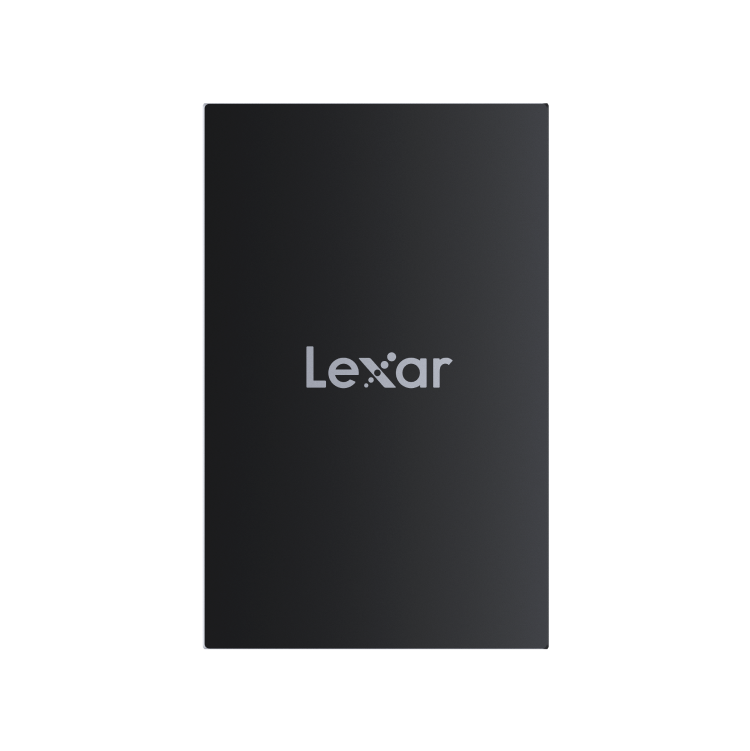
Lexar ARMOR 700 1TB Portable SSD | USB 3.2 Gen 2×2 | Up to 2000MB/s Read & Write, 5 Year Limited Warranty (LAR700X001T-RNBNG)


Original price was: ₹26,499.00.Current price is: ₹16,499.00. Inc. tax (13,982.20Exc. Tax)

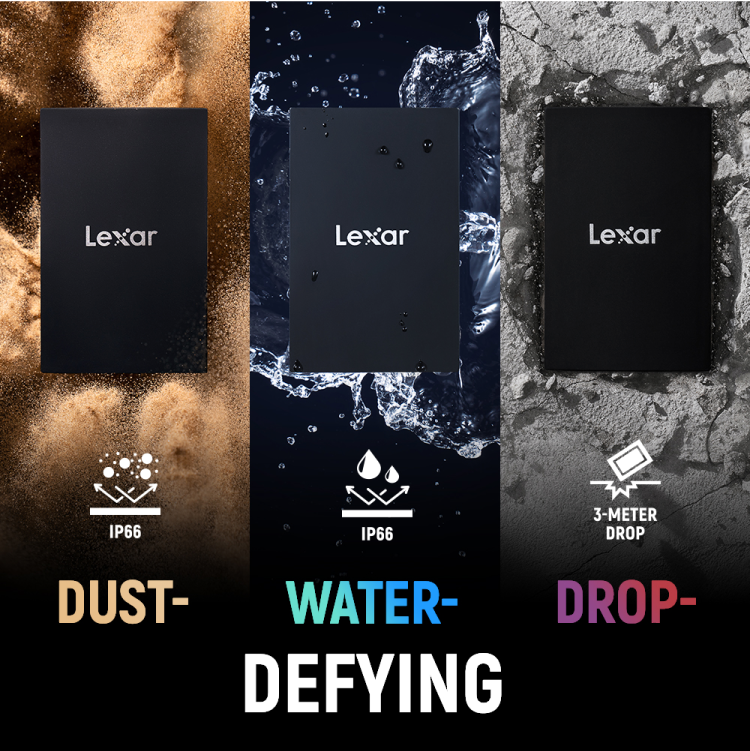
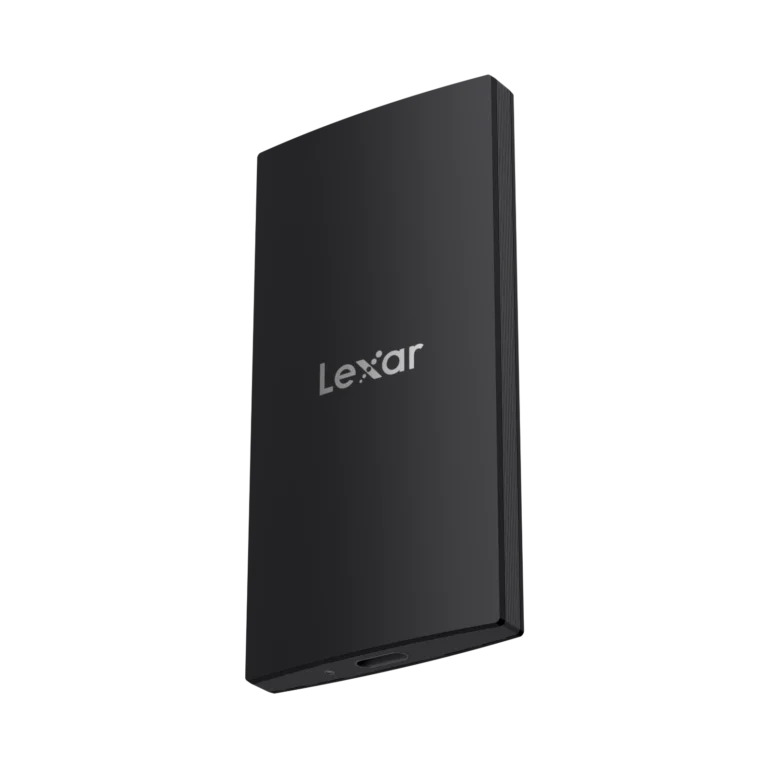
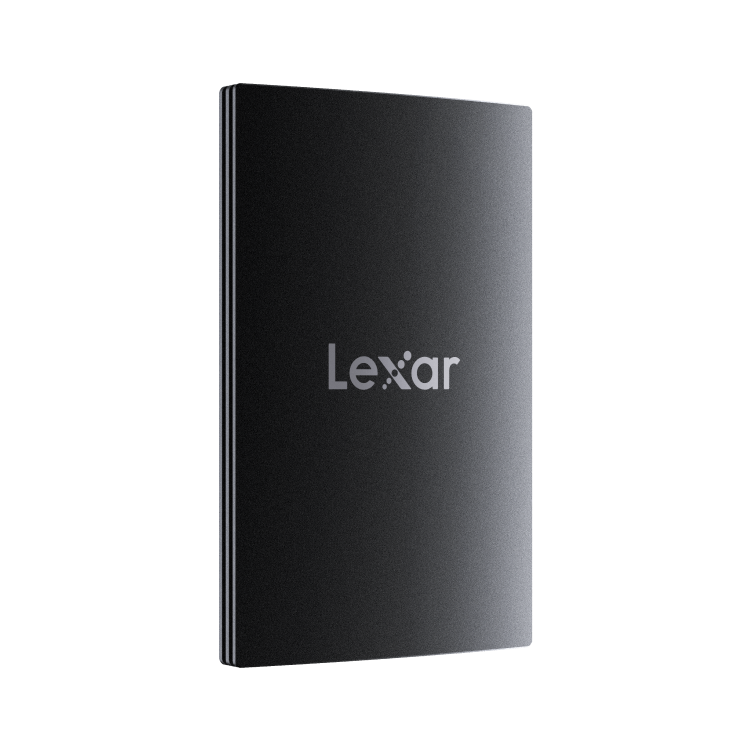
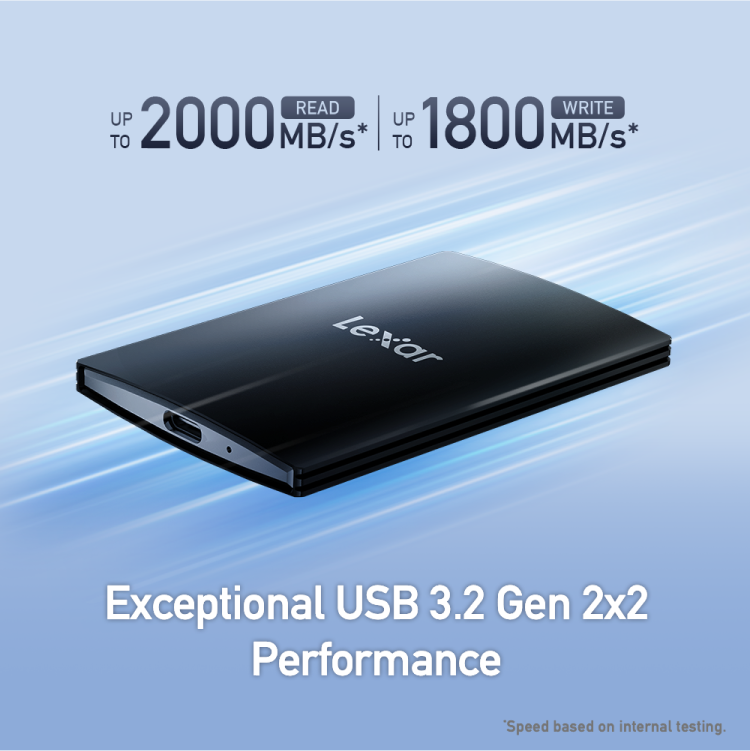
The Lexar ARMOR 700 1TB Portable SSD is a USB 3.2 Gen 2×2 external solid-state drive offering up to 2000MB/s read and write speeds in a rugged IP66-rated enclosure and comes with 5 Year Limited Warranty.

3 in stock

Estimated shipping date: 27/04/2026 - 28/04/2026

We are trying hard to provide best price, still not satisfied. Let us know


    Please prove you are human by selecting the tree.

    • Pick up from the FGTECH Store

    To pick up today

    0-1 Days

    Free

    • Courier delivery

    Our courier will deliver to the specified address

    4-7 Days

    Free

    • Porter / WeFast

    Currently available only in Mumbai

    0-1 Days

    To be paid directly to service vendor

    • Fast Delivery ( By Air )

    We will ship from your product By Air to nearest center to speed up the delivery

    2-4 Days

    Start from Rs250 Extra

    SKU: FGIN7ZOLF396 Categories: , Brand:
    Description

    Lexar ARMOR 700 1TB Portable SSD: Fast Rugged External Storage for Backup, Photography and High-Speed File Transfers

    The Lexar ARMOR 700 1TB Portable SSD is a compact external solid-state drive designed for fast file transfers, everyday backups, and portable storage across laptops, smartphones, and consoles. With read and write speeds up to 2000 MB/s over USB 3.2 Gen 2×2, it is significantly faster than traditional external hard drives and standard portable SSDs, making it a practical choice for photographers, video editors, freelancers, and anyone who needs to move large files quickly. The drive includes 256-bit AES encryption and a rugged, pocket-sized design with IP66 protection, offering both speed and secure storage on the go.

    What Is a Portable SSD?

    A portable SSD (solid-state drive) is an external storage device that uses flash memory instead of spinning disks. Unlike traditional external hard drives, portable SSDs have no moving parts, which makes them faster, more durable, and silent during operation. Typical portable SSD speeds range from 400 MB/s to over 1,000 MB/s, depending on the interface (USB 3.1 vs USB 3.2 Gen 2) and controller design.

    When Is 1TB Enough, and When Do You Need More?

    For most users, 1TB is sufficient for storing a large photo library, hundreds of hours of video footage, document archives, and project backups. Students, freelancers, and small business users typically find 1TB more than adequate. If you regularly work with raw 4K or 8K video projects that generate hundreds of gigabytes per shoot, or if you need to archive years of data on a single drive, you may want to consider 2TB or larger options.

    Who Should Buy the Lexar ARMOR 700 1TB Portable SSD?

    • Photographers and Videographers on the Move

    Quickly offload RAW images and 1080p/4K video footage while traveling. The ARMOR 700’s up to 2000 MB/s speeds mean transferring a 20 GB shoot takes much less time, compared to several minutes on a traditional external hard drive.

    • Laptop Users With Limited Internal Storage

    Many ultrabooks and MacBooks ship with just 256–512 GB of internal storage. A 1TB portable SSD is an easy, fast way to extend your storage for project files, media libraries, and Time Machine backups without opening your laptop.

    • Small Businesses and Freelancers Needing Simple Backup

    A fast, portable backup for client files and daily work that travels between office and home.

    Who the Lexar ARMOR 700 1TB is NOT for

    The Lexar ARMOR 700 is not designed for PC or console gamers who want maximum in-game performance from an internal drive. For that use case, high-end PCIe 4.0 NVMe SSDs are more appropriate, as they offer several times higher sequential speeds when installed directly on an M.2 motherboard slot.

    Verdict: The ARMOR 700 is best kept as an external, portable 1TB drive for high-speed backups, file transfers, and extra storage across devices.

    Lexar ARMOR 700 1TB: Specifications With Context

    SPECIFICATIONS VALUE What It Means For You
    Capacity 1TbStore large photo/video libraries, high-resolution projects, or full backups in a single rugged drive.
    InterfaceUSB 3.2 Gen 2×2 (USB Type-C)Works with modern laptops. Backward compatible with USB-A via included cable.
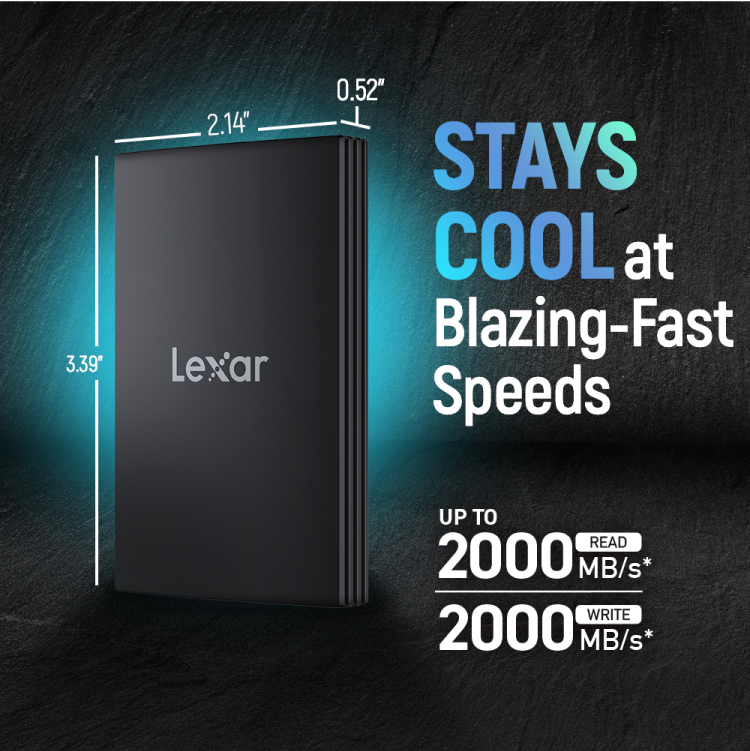
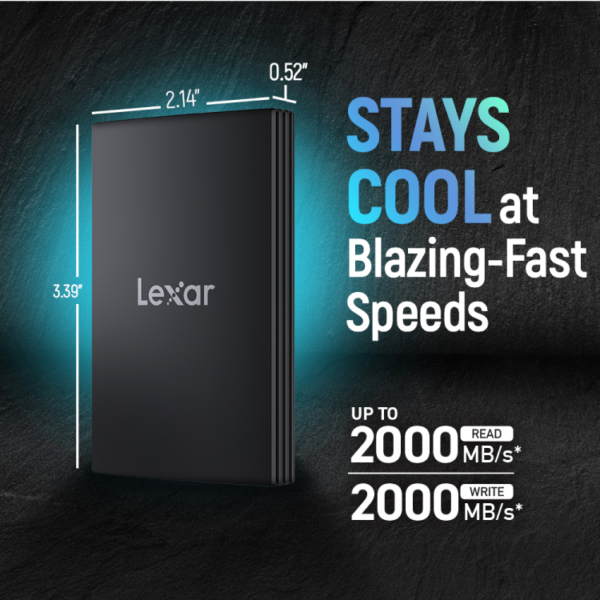
    Read Speed Upto 2000MB/sMuch faster than typical external HDDs (~100 MB/s). A 10 GB folder transfer takes around 8–12 seconds
    Write SpeedUpto 2000MB/s
    Fast enough for real-time backup of photo shoots and video offloads.
    Encryption 256-bit AES
    Protects sensitive files with password-based encryption via Lexar’s security software
    DesignRugged, CompactPocket-sized. Durable design suitable for travel and demanding environments.
    Operating Temperature 0°C to 50°CSuitable for regular indoor use and typical outdoor conditions.
    Warranty5 Year Limited WarrantyManufacturer-backed reliability, honoured through authorised distributors like FGTech.

    Portable SSD vs External HDD: Which Should You Choose?

    FEATURE Portable SSD (e.g., Lexar ARMOR 700)External HDD
    Typical SpeedUp to 2000 MB/s read, 2000 MB/s writeAround 100–150 MB/s for most 2.5-inch drives
    DurabilityNo moving parts; better shock and vibration resistance, with added dust and water protection (IP66)
    Spinning disks vulnerable to shocks and drops
    SizePocket-sized, rugged designBulkier, thicker enclosures
    Noise SilentAudible spinning and clicking
    Best ForFast backup, creators, travel, outdoor and high-speed portable storageCheapest per-GB archive storage

    Looking for high capacity archive storage? Browse our range of internal and external hard drives at FGTech

    Choosing the Right 1TB SSD: Portable vs Internal

    Not all 1TB SSDs serve the same purpose. The table below shows where the Lexar ARMOR 700 fits compared to popular portable and internal alternatives.
    Use Case Type Example ModelsTypical Speed
    Portable backup, file sharing between devices, travel, outdoor use
    Portable External SSD
    Lexar ARMOR 700 1TB, Samsung T7 Shield 1TB, SanDisk Extreme PRO 1TB1000–2000MB/s (USB 3.x)
    Maximum performance for gaming or workstation OS drive
    Internal NVMe SSD (high-end)
    Samsung 990 Pro 1TB, WD Black SN850X 1TB
    6,300–7,450MB/s (PCIe4.0)
    Value internal upgrade for general PC use
    Internal NVMe SSD (value)
    Crucial P3 Plus 1TB, Kingston NV2 1TB
    2,100–5,000
    MB/s (PCIe 4.0)

    Need a budget friendly portable SSD? The Lexar SL200 offers up to 550MB/s Read & 400MB/s Write via USB 3.1

    Lexar ARMOR 700 vs Samsung T7 Shield vs SanDisk Extreme PRO Portable

    Among portable 1TB SSDs, the Lexar ARMOR 700 sits as a high-performance option. The Samsung T7 Shield offers lower speeds (up to ~1,050 MB/s via USB 3.2 Gen 2) but is known for stable performance during sustained transfers, while the SanDisk Extreme PRO Portable offers similar speeds (up to ~2000 MB/s via USB 3.2 Gen 2×2). The ARMOR 700 also delivers up to 2000 MB/s via USB 3.2 Gen 2×2, making it well suited for large file transfers and professional workflows, while its IP66 rating provides added protection for outdoor and demanding environments. Its 256-bit AES encryption matches what many competitors offer at this performance tier.

    Common Questions About 1TB Portable SSDs and the Lexar ARMOR 700

    Q: How fast is the Lexar ARMOR 700 1TB Portable SSD?

    A: The drive delivers up to 2000 MB/s read and write speeds over USB 3.2 Gen 2×2. In practical terms, transferring a 10 GB folder takes around ~8–12 seconds on supported systems, compared to over a minute on most external HDDs.

    Q: Is the Lexar ARMOR 700 compatible with Mac and Windows?

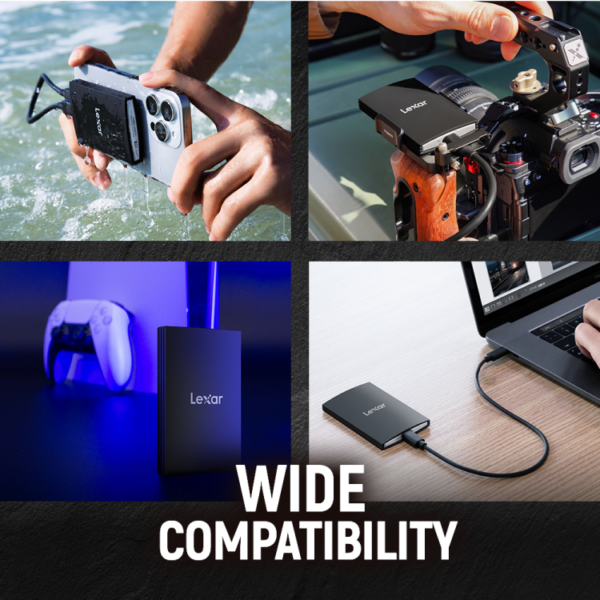
    A: Yes. It connects via USB Type-C and includes both USB-C to USB-C and USB-C to USB-A cables, so it works with most modern Mac and Windows laptops and desktops.

    Q: Is a portable SSD better than an external hard drive for backup?

    A: For speed and durability, yes. SSDs have no moving parts, making them more shock-resistant and significantly faster than most external HDDs. However, external HDDs still offer lower cost per gigabyte for pure archive storage.

    Q: Should I buy a portable SSD like the Lexar ARMOR 700 or an internal NVMe SSD?

    A: It depends on your use case. If you need portable storage you can carry between devices, the ARMOR 700 is the right choice. If you need maximum speed for gaming or as your PC’s main system drive, an internal NVMe SSD is more appropriate.

    Q: What warranty do I get when buying the Lexar ARMOR 700 from FGTech?

    A: The drive comes with a 5-year manufacturer limited warranty. FGTech, as an authorized distributor, supports warranty claims in India with direct RMA assistance.

    Why Buy Lexar ARMOR 700 From FGTech in India?

    FGTech is an authorized distributor of Lexar Storage products in India. All drives include original packaging and an official 3 to 5 year warranty depending on model. We offer free air shipping on all storage products and direct RMA assistance, so warranty claims are handled locally. See our shipping and warranty FAQs for full details. Browse the full Lexar range at FGTech.

    About LEXAR

    Lexar SSD and RAM, SD and microSD cards in India | FGTech

    Lexar SSD and RAM are at the core of making your system feel fast and reliable, while SD and microSD cards and USB drives handle everyday storage and transfers. At FGTech, we focus on the Lexar products that matter most for laptops, desktops, and everyday data use in India.Every Lexar product you see here is genuine, backed by the official Lexar warranty and a GST invoice. If you are upgrading an old laptop, building a gaming PC, or need dependable storage for work and studies, this page will help you choose the right Lexar SSD, RAM kit or card and plug it into your setup.

    Lexar RAM at FGTech

    Lexar DDR4 and DDR5 RAM modules are a straightforward way to remove lag when you multitask. They follow standard JEDEC specs, so they work with most common boards as long as you match the right generation.

    Desktop RAM (UDIMM)

    Lexar DDR4 8 GB / 16 GB 3200 MHz: Ideal for: Office PCs and budget gaming systems that struggle once you open several apps and browser tabs.Lexar DDR5 16 GB / 32 GB: Ideal for: Newer Intel and AMD platforms where you want stable, non‑gimmicky RAM from a storage‑focused brand.

    Laptop RAM (SODIMM)

    Lexar DDR4 8 GB / 16 GB 3200 MHz SODIMM: Ideal for: Laptops that shipped with 4 GB or 8 GB and feel slow even after you add an SSD.

    Lexar Memory Cards for everyday use and 24/7 recording

    Lexar SD and microSD cards are also available at FGTech, which can be used in laptops with card slots, drones, action cameras, dashcams, and NVRs.

    Standard Lexar SD / microSD Cards

    Best for: Cameras, drones, phones, tablets and laptops where you record or move files but do not write to the card constantly all day.What to check: Capacity (64 GB, 128 GB, 256 GB and above) and speed class (U1/U3, V30 or higher for 4K video).

    Lexar High‑Endurance Cards For CCTV and Dashcams

    Continuous recording in a dashcam or security system wears cards faster than normal use. Lexar high‑endurance versions are built for this.Designed for: Dashcams, NVRs, IP cameras and video recorders that write 24/7 or on a tight loop.Rated by: Terabytes Written (TBW), which tells you how much recording the card can handle over its life, not just speed.Recommendation: For always‑on recording, choose a Lexar high‑endurance card. For occasional shooting or travel footage, a standard Lexar card is fine.

    Lexar SSD at FGTech

    Which Lexar SSD should you choose

    Start by checking what your system supports:Laptop or desktop with an M.2 PCIe slot → choose a Lexar NVMe SSD.Laptop or desktop with only a 2.5-inch bay → choose a Lexar SATA SSD.Desktop with both: use NVMe for the system drive and SATA for extra storage.If you are not sure what slot you have, share your laptop or motherboard model with the FGTech team, and we will confirm before you buy.

    Quick Capacity Guide

    240/256 GB: Basic work, browsing, a few key apps.480/512 GB: Everyday use plus some games and media.960 GB / 1 TB: Gaming libraries and creator workflows.2 TB: Large local storage when you do not want to rely only on the cloud.

    When to pick Lexar NVMe vs SATA

    NVMe uses PCIe lanes and can be several times faster than SATA in real transfers. You feel this in game load times, large file copies and overall system responsiveness.SATA SSDs are still a huge upgrade over mechanical hard drives and usually cost less per GB, especially for 1 TB and 2 TB sizes.If your system supports NVMe, make a Lexar NVMe SSD your main drive.If your system only supports 2.5 inch SATA, a Lexar SATA SSD is the correct and safe upgrade, and it still feels dramatically faster than an HDD.A simple rule you can even copy into banners: “If your laptop supports NVMe, pick a Lexar NVMe SSD. If it doesn’t, a Lexar SATA SSD will still make it feel new.”

    Quick answers before you buy

    Is Lexar a good brand for SSD, RAM and Memory Cards?

    Lexar has a long history in flash storage, formerly part of Micron, and makes reliable SSDs, RAM, and memory cards that follow standard specifications.Lexar was a part of Micron, one of the world's biggest DRAM and NAND makers, before becoming an independent brand. Its SSDs and memory cards are widely used worldwide, and its RAM modules follow standard specifications, so compatibility and reliability are in line with other mainstream brands.

    How much RAM should I aim for?

    8 GB: Basic browsing, office work, light study use.16 GB: Smooth everyday experience plus gaming and light editing.32 GB and up: Heavy multitasking, virtual machines, and serious creative workloads.If your laptop still has only 4 GB or 8 GB and feels slow after an SSD upgrade, a Lexar RAM upgrade often makes the single biggest difference.

    What if I am not sure whether my laptop supports NVMe or only SATA?

    If your laptop supports NVMe, pick NVMe. If it only supports SATA, a SATA SSD still makes it feel dramatically faster than an HDD.Look up your laptop model on the manufacturer's site and check the storage section, or simply share the model with FGTech support on WhatsApp. We will tell you whether a Lexar NVMe SSD or a Lexar SATA SSD is the safer choice before you buy.

    Why buy Lexar SSD and RAM, Memory cards from FGTech

    • Only genuine Lexar stock, sourced through authorised channels, with serial numbers you can verify.
    • GST invoice on every order, suitable for both individuals and businesses.
    • Storage‑first experts who work daily with SSD, RAM and card compatibility and can guide you before purchase.
    • Air freight upgrade on all storage orders at no extra cost.
    • Pan‑India delivery with secure, anti‑static packaging.
    Lexar SSDs, RAM, and memory cards are part of FGTech's complete memory and storage solutions lineup, which also includes drives from WD, Seagate, Toshiba, and Netac. For SSD comparison across brands at FGTech, see NVMe SSDs at FGTech.For memory card options alongside Lexar, see memory cards at FGTech.


    Product Details

    SpecificationDetails
    Capacity1TB / 2TB / 4TB
    InterfaceUSB 3.2 Gen 2x2
    PerformanceSpeed up to 2000MB/s read, up to 2000MB/s write¹
    Operating Temperature0°C to 50°C
    Storage Temperature-40°C to 85°C
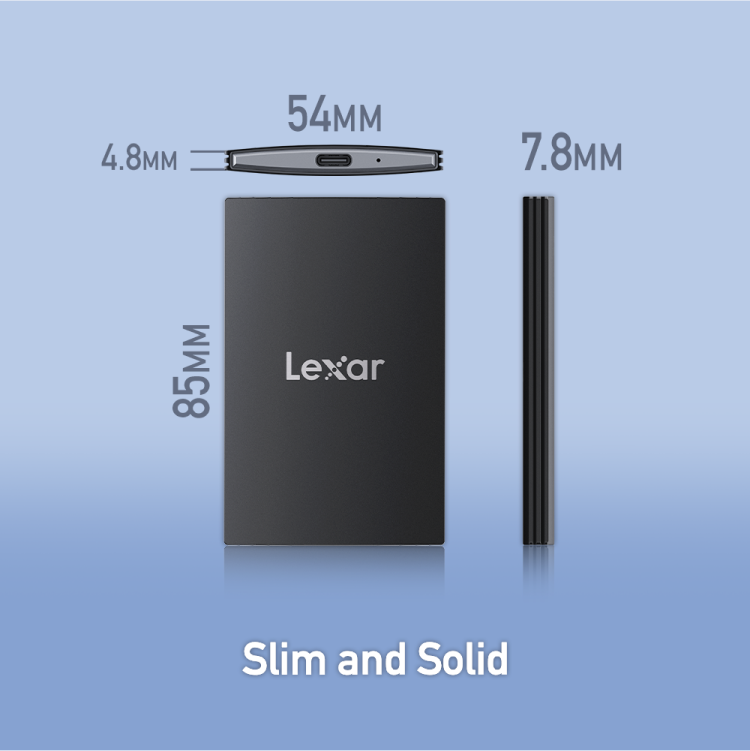
    Dimensions (L × W × H)86.2mm × 54.4mm × 13.2mm
    Weight80g
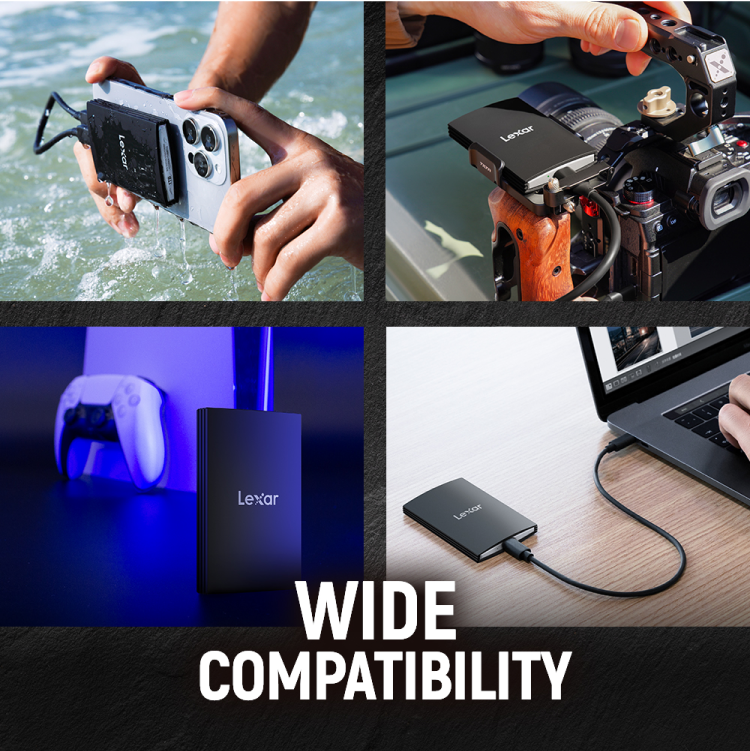
    System SupportedmacOS® 10.6+, Windows® 11 / 10 / 7 / 8, Android 4.4+, HarmonyOS
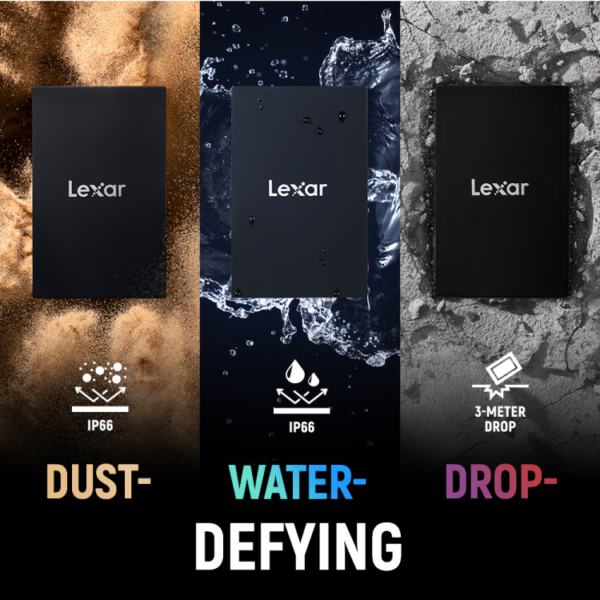
    Ingress Protection RatingIP66 Water and Dust Resistance², 3-meter anti-drop²
    Warranty5-Year Limited Warranty

    Reviews & Q and A

    Reviews

    There are no reviews yet

    Only logged in customers who have purchased this product may leave a review.

    Q & A

    Ask a question
    You must be logged in to ask a question Log In
    Is Lexar a trustworthy brand, or is it a risky choice? shashank asked on January 26, 2026
    (0) (0)
    Add an answer
    You must be logged in to answer a question Log In
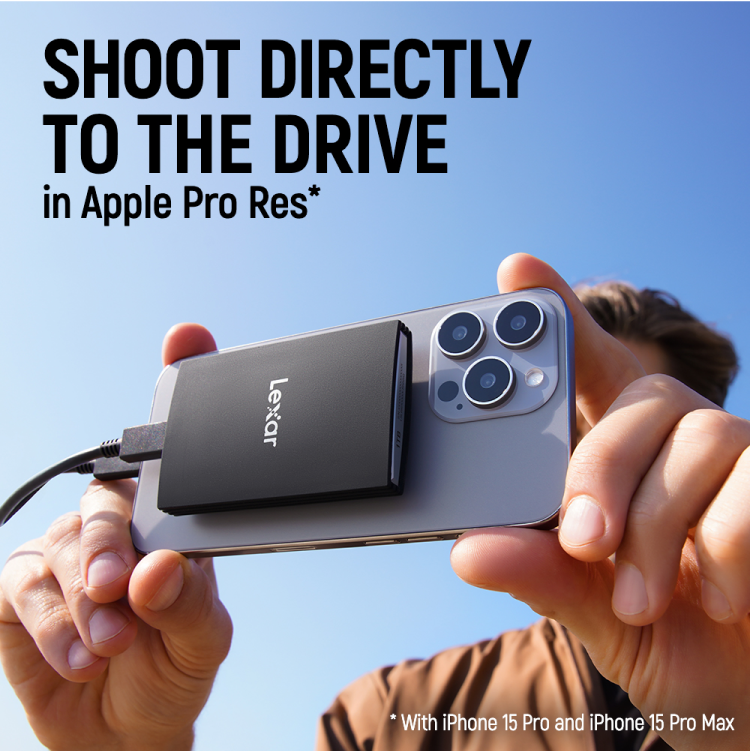
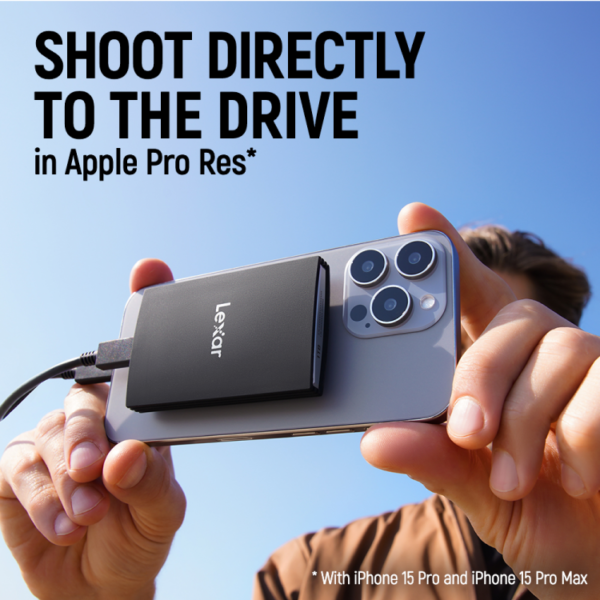
    Can I use the Lexar ARMOR 700 with my phone or camera for direct video recording? aryan asked on January 26, 2026
    (0) (0)
    Add an answer
    You must be logged in to answer a question Log In

    RELATED PRODUCTS