HD Cameras and Webcam
 Projectors and Speakers
 VOIP Phones and Gateway
 Access Control
 LTE and 5G Devices
 Smart Sensors And Automation
 Fiber and SFP Modules
 Firewall & Cloud Controllers
 Network Adapters and Accessories
 Network Switches
 PoE Switches
 Point To Point Wireless Radio
 Routers
 Wireless Access Points
 IP Cameras
 Memory Cards
 NVR
NVR Smart WiFi Cameras
 Storage Devices
 Desktop & Laptop RAMs
 Internal and External Hard Drives
 Storage Accessories and Enclosures
 SSD and NVMe Drives
 USB Flash Drives


CCTV Guide 2026: Storage Calculator, AI Analytics & Smart Surveillance India

In this issue
- CCTV + AI Analytics 101: What’s actually real today vs. pure marketing.
- Storage Sizing Guide: The formula you need – no fluff, just math.
- Tirumala Temple Case Study: How 6,000 AI cameras manage 100,000 daily visitors.
- CCTV Buying Guide: What actually matters when you’re shopping.
📺 The Spotlight
CCTV + AI Analytics 101: What’s actually real today
AI-powered CCTV sounds like science fiction, but the basics are already working in systems you can buy right now. Here’s what’s real and what you should care about:
Motion detection (Intelligent, not dumb)
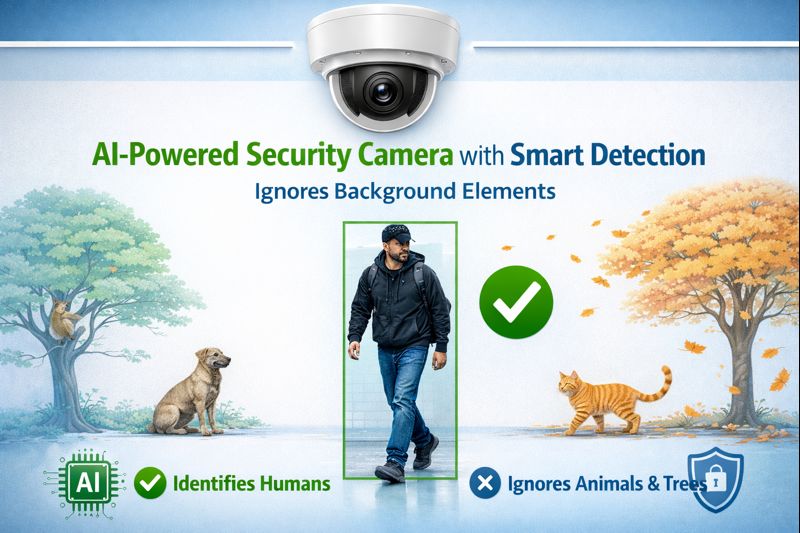
Traditional motion detection triggers on everything – leaves blowing, rain, even lighting changes – causing 90-99% false alarms. That’s not a typo. If you get 100 alerts, 90-99 of them are useless.
Intelligent motion detection powered by AI analyzes the type and pattern of motion. The result? 85-95% fewer false alarms. Instead of 100 useless alerts daily, you get 5-15 that actually matter – someone entering your property after hours, not a cat walking by. Here’s what we are talking about
Traditional motion detection vs. AI-powered intelligent detection
Object detection & tracking
Modern cameras can automatically detect and classify what they see – people, vehicles, bags left unattended – and track them in real-time using AI across multiple camera feeds. This is useful for:
- Following a delivery person across your property without manually reviewing footage
- Getting alerts if someone enters a restricted zone (like your server room or warehouse after closing)
- Monitoring how long someone lingers near an entry point (suspicious loitering detection)
What’s mostly marketing
Anything promising ‘predictive threat analysis’ or ‘behavioral anomaly detection’ that claims to predict crimes before they happen is overselling. Yes, AI can spot patterns in historical footage, but thinking your ₹15,000 camera will operate like Minority Report is unrealistic. Stick to proven features: motion zones, object classification, and basic alerts.
🏛️ Case Study
Smart CCTV & crowd management: The Tirumala system
The Tirumala Tirupati Devasthanams recently deployed a ₹28 crore AI system with over 6,000 cameras to manage 50,000-100,000 daily visitors. The scale is staggering: 360,000 payloads are processed per minute, and 2.5 billion real-time inferences are made daily. Here’s the full story.
The system:
Facial recognition cameras at 20 strategic points (railway stations, bus stands, temple entry gates) capture devotees’ faces and cross-reference them against a database of ~1 million images from the past 30 days. The system issues time-slotted darshan tokens linked to your face, preventing duplicate bookings and queue-jumping.

Tirumala Temple’s AI-powered CCTV command center
What works:
- Crowd density tracking – AI estimates crowd levels in real-time and redirects flow to prevent stampedes
- Missing person identification – If someone reports a missing child or elderly relative, the system can scan recent footage across all 6,000+ cameras
- Access control – Your token + face combo ensures the person who booked actually shows up (not a tout reselling)
What’s overkill for most businesses:
Unless you’re managing 50,000+ people daily, you don’t need facial recognition databases. A small retail shop, coaching center, or even a 20-camera factory can achieve 90% of the security value with:
- Basic motion detection + object tracking
- Proper camera placement (entry/exit, cash areas, blind spots)
- A sensible NVR with adequate storage
🛒 Buying Guide
CCTV buying guide basics
What actually matters when you’re shopping:
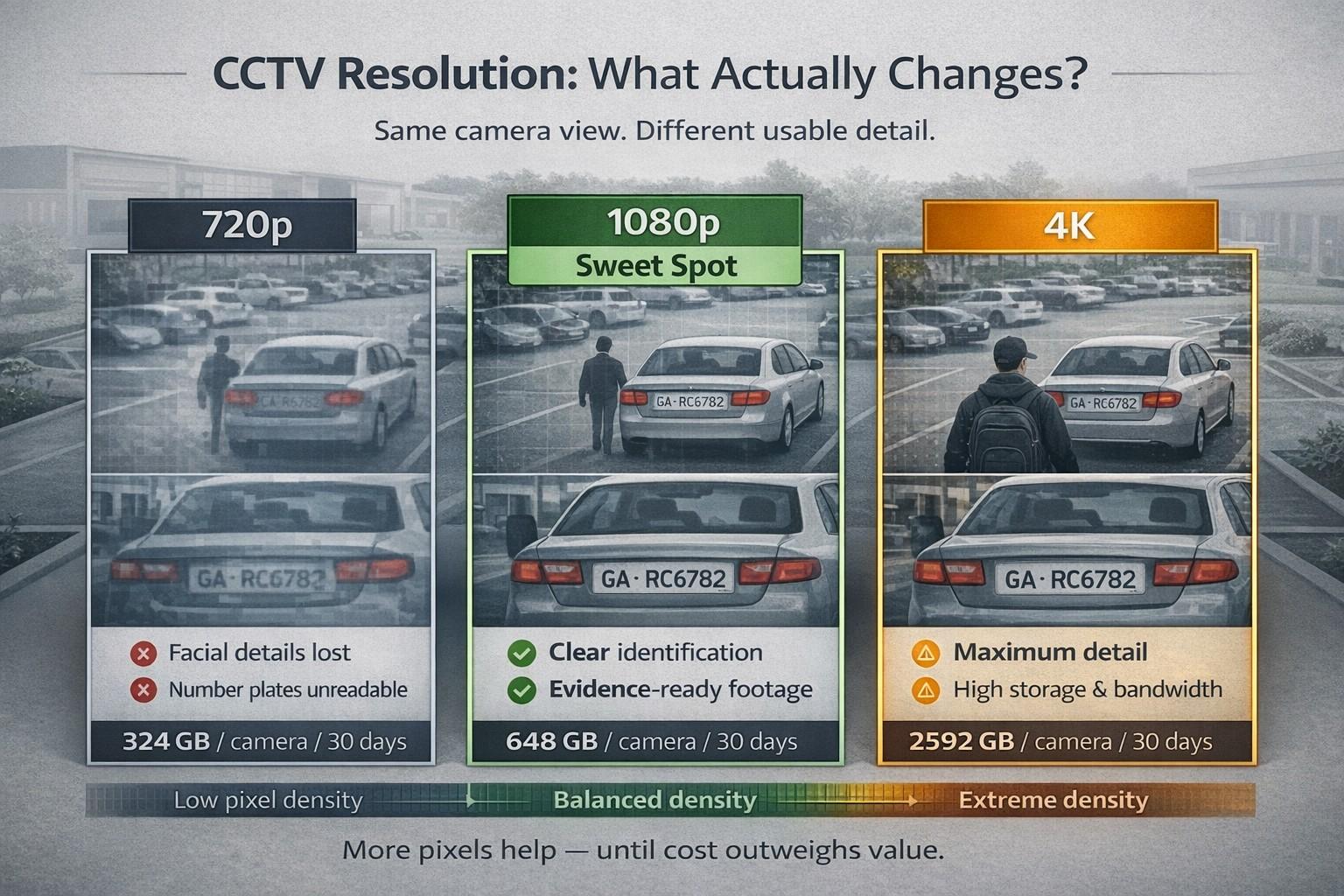
Resolution: Don’t overpay
- 720p – Fine for general monitoring, perimeter zones. Cheap storage.
- 1080p – Sweet spot for most businesses. Clear enough to identify faces/license plates
- 4K – Only needed for critical zones (cash counters, safes, entry gates) where you need to zoom and still see detail
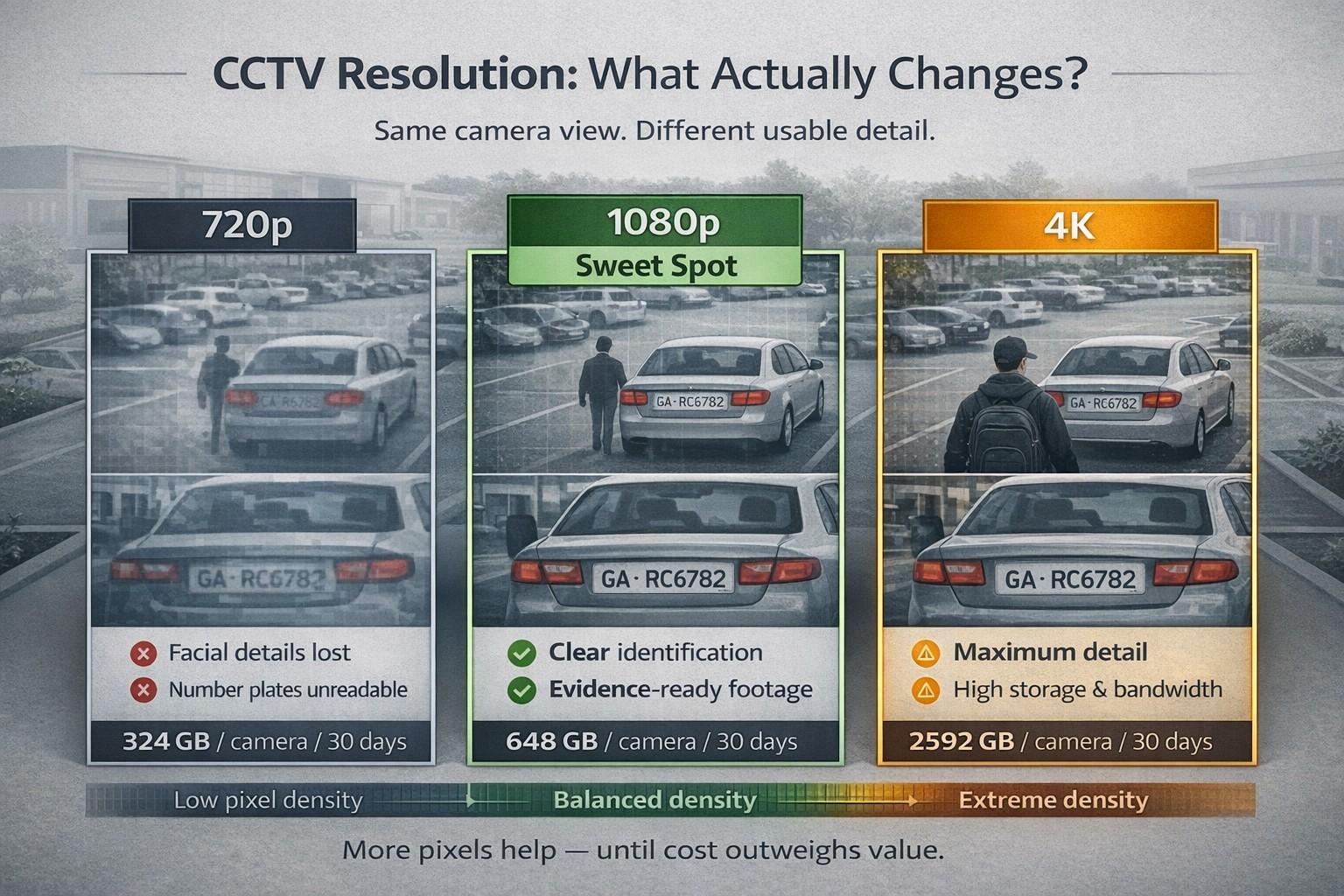
720p vs. 1080p vs. 4K resolution comparison
Night vision: Check the IR range
Most cameras claim “night vision,” but effective range varies wildly. Look for 20-30 meters for outdoor cameras, 10-15 meters for indoor. Anything less is nearly useless beyond your front door.
PoE (Power over Ethernet)
If you’re installing 3+ cameras, buy PoE-enabled cameras and a PoE switch. One cable does power + data – no messy power bricks, no hunting for outlets near ceilings.
Storage: Buy surveillance-rated hard drives
Regular desktop HDDs fail quickly under 24/7 recording. Use WD Purple or Seagate SkyHawk drives rated for surveillance.
Why? They’re designed to write continuously. Regular drives are rated for 55 TB/year workload. Surveillance drives handle 180-360 TB/year. Your 4-camera, 24/7 setup writes ~100 TB/year.
Before You Go…
Got a CCTV setup you’re proud of? Or one that’s a complete mess and you want help fixing? Hit reply and tell us:
- How many cameras you’re running?
- What storage you’ve got?
- One thing that’s driving you crazy about your current setup?
We’d love to feature a reader’s CCTV setup in Issue #4 with a “what to fix first” breakdown.
Give us your honest feedback
How did you feel about the 3rd issue of Tech Tomorrow?