
 HD Cameras and Webcam
 Projectors and Speakers
 VOIP Phones and Gateway
 Access Control
 5G routers and 4G LTE Devices
 Smart Sensors And Automation
 Fiber and SFP Modules
 Firewall & Cloud Controllers
 Network Adapters and Accessories
 Network Switches
 PoE Switches
 Point To Point Wireless Radio
 Routers
 Wireless Access Points
 IP Cameras
 Memory Cards
 NVR
NVR Smart WiFi Cameras
 Storage Devices
 Desktop & Laptop RAMs
 Internal and External Hard Drives
 Storage Accessories and Enclosures
 SSD and NVMe Drives
 USB Flash Drives


-
 Pick up from the FGTECH Store
-
Courier delivery
-
Porter / WeFast
-
Fast Delivery ( By Air )


 Pick up from the FGTECH Store
  Courier delivery
Porter / WeFast
Fast Delivery ( By Air )
Courier delivery
Porter / WeFast
Fast Delivery ( By Air ) 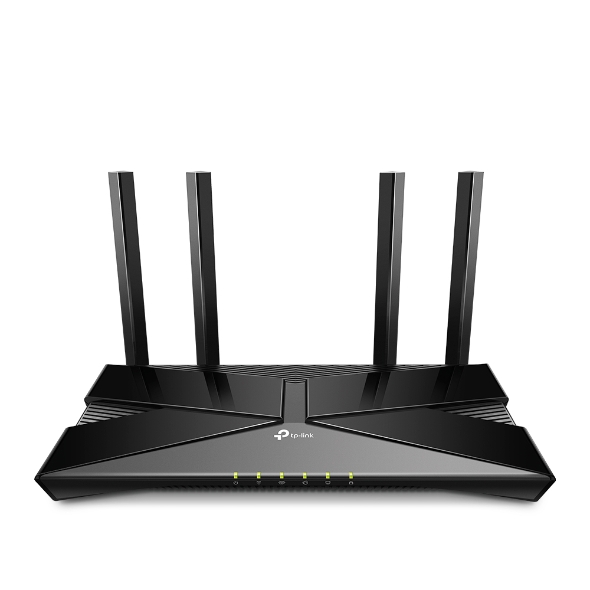
In stock
In stock
In stock
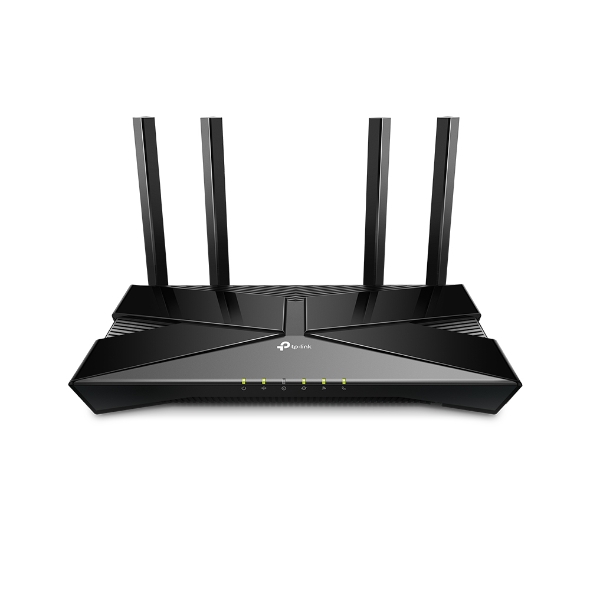
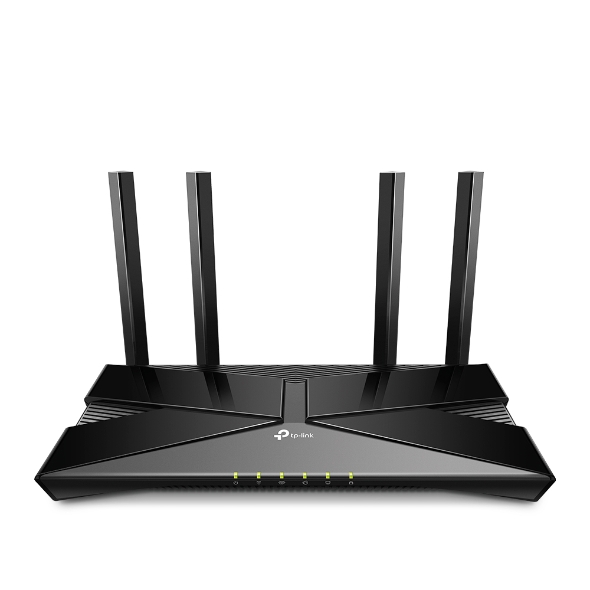
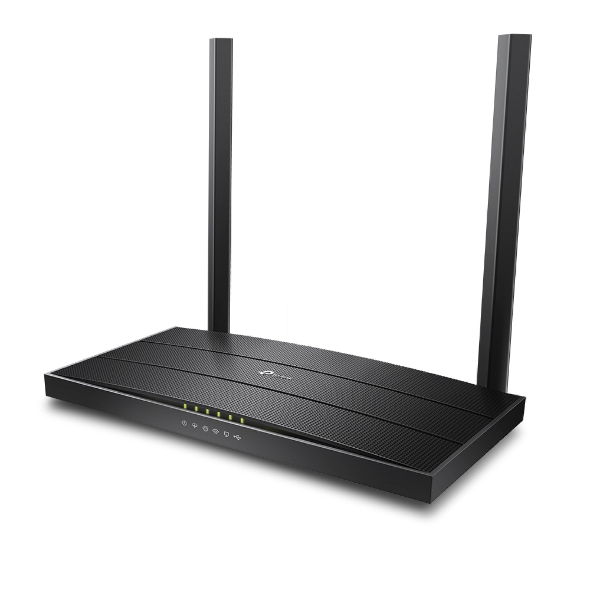
The TP-Link XX530v AX3000 is a next-generation Wi-Fi 6 XPON router engineered for ultra-fast, reliable internet connectivity in homes, small offices, and enterprise environments. Delivering combined wireless speeds of up to 3000 Mbps — 574 Mbps on 2.4 GHz and 2402 Mbps on 5 GHz — it ensures lag-free browsing, 4K/8K streaming, online gaming, and seamless video conferencing across all your devices simultaneously.
Built with XPON (XGS-PON/GPON) fiber support, the XX530v connects directly to gigabit-speed fiber-optic broadband, eliminating the need for a separate ONT unit. Its OFDMA and MU-MIMO technologies efficiently handle dozens of concurrent connections, while Beamforming steers the signal precisely toward each device for maximum range and stability.
With an integrated compact fiber tray design, WPA3 enterprise-grade encryption, Multi-SSID, parental controls, full VoIP support, and remote management via the Aginet cloud platform (TR-369 / OMCI / TR-069), the XX530v is the definitive all-in-one fiber gateway for modern connected living.
Equipped with OFDMA and MU-MIMO technologies, the router efficiently handles multiple simultaneous device connections, reducing latency and improving overall performance in high-traffic networks. Whether for home use, small offices, or large enterprises, the TP-Link XX530v ensures consistent and high-speed connectivity across all connected devices.

If you already have the xx530v and are looking for setup instructions, read through our setup guide.

| HARDWARE FEATURES | |
|---|---|
| Interface | 1× SC/APC XPON Port 1× 10/100/1000 Mbps WAN/LAN Port 3× 10/100/1000 Mbps LAN Ports 1× FXS Port 1× USB 2.0 Port |
| Button | WPS/Wi-Fi Button RESET Button Power On/Off Button |
| External Power Supply | 12V/1.5A |
| Data Rates | Downstream Speeds: 2.488 Gbps (GPON) Upstream Speeds: 1.244 Gbps (GPON)§ |
| Antenna | 4 External Antennas |
| WIRELESS FEATURES | |
|---|---|
| Wireless Standards | IEEE 802.11a/n/ac/ax 5 GHz IEEE 802.11b/g/n/ax 2.4 GHz |
| Frequency | 2.4 GHz and 5 GHz |
| Signal Rate | AX3000 5 GHz: Up to 2402 Mbps (HE160) 2.4 GHz: Up to 574 Mbps (HE40)* |
| Transmit Power | CE: <20 dBm (2.4 GHz) <23 dBm (5 GHz) |
| Wireless Functions | Enable/Disable Wireless Radio, WMM, Wireless Statistics |
| Wireless Security | WPA/WPA2/WPA3 Encryptions |
| Multi-SSID | 2× 5 GHz Multi-SSID 2× 2.4 GHz Multi-SSID |
| Wireless Schedule | Support 2.4 GHz and 5 GHz Wireless Schedule |
| Mesh Technology | EasyMesh Compatible, and support 802.11k/v/r |
| SOFTWARE FEATURES | |
|---|---|
| Quality of Service | Hardware QoS, Flow Classification |
| Security | NAT Firewall, Access Control, MAC/IP/URL Filtering, IP and MAC Address Binding, Defense “Denial of Service (DoS), SYNFlooding, Ping of Death" |
| Management | Local management: WebGUI, Aginet app (for end users)Remote management: Aginet ACS, OMCI, TR-069/TR-369, TR-098, TR-181, TR-111,TR-143 for service providers Aginet APP for end user (need to log in wtih TP-Link ID and bind your device to it)Cloud management: TP-Link Aginet Unified Cloud (TAUC) |
| DHCP | Server, Client, DHCP Client List, Address Reservation, DHCP Relay |
| Port Forwarding | Virtual Server, Port Triggering, DMZ, ALG, UPnP |
| Dynamic DNS | DynDns, NO-IP |
| VPN Pass-Through | PPTP, L2TP, IPSec Pass-through |
| Protocols | IPv4, IPv6 |
| Advanced Functions | Parental Controls, Network Address Translation(NAT), Port Mapping(Grouping), Static Routing, DNS Relay, DDNS, IGMP V1/V2/V3 |
| VPN Server | PPTP VPN, IPSec VPN , OpenVPN |
| OTHERS | |
|---|---|
| Package Contents | WiFi6 GPON Router XX530v RJ45 Ethernet Cable Power Adapter Quick Installation Guide |
| System Requirements | Microsoft Windows 98SE/NT/2000/XP/Vista™/7/8/8.1/10, MAC OS, NetWare, UNIX or Linux Internet Explorer 11, Firefox 12.0, Chrome 20.0, Safari 4.0, or other Java-enabled browser Subscription with an internet service provider (for internet access) |
| Environment | Operating Temperature: 0℃–40℃ (32℉–104℉) Storage Temperature: -40℃–60℃ (-40℉–140℉) Operating Humidity: 10%–90% non-condensing Storage Humidity: 5%–90% non-condensing |
Only logged in customers who have purchased this product may leave a review.
You can read our return and cancellation policy as below.
https://fgtechstore.com/cancellations-and-returns-policy/
If your concern is regarding compatibility with your ISP - then we recommend you talk to us on whatsapp, we will align a technical person for you, he can help you answer all your queries before you buy, and also if needed, we can have a call with your ISP too.
Hope this helps you clear your doubt.
Yes — the router supports EasyMesh, allowing users to expand coverage by adding compatible mesh extenders or routers. This helps eliminate dead zones and ensures strong Wi-Fi throughout larger homes or multi-floor setups.
The TP-Link XX530v is an AX3000 dual-band Wi-Fi 6 XPON router designed for fiber broadband users. It supports GPON and XPON (EPON/GPON compatible) networks, making it ideal for high-speed FTTH connections provided by ISPs.
YES ITS DOSE SUPPORT RAILTEL ISP CONNECTION , JUST MAKE SURE U USE GREEN APC TYPE PATCH CORD , WITH -15 TO -25 RX LASER POWER MAINTAINED
If you receive a GPON box, Fgtech team can help with the firmware to flash to make it compatible with XPON support.
In stock
In stock
In stock
In stock
Out of stock
Verified owner Govindaraju L. (verified owner) –