
 HD Cameras and Webcam
 Projectors and Speakers
 VOIP Phones and Gateway
 Access Control
 5G routers and 4G LTE Devices
 Smart Sensors And Automation
 Fiber and SFP Modules
 Firewall & Cloud Controllers
 Network Adapters and Accessories
 Network Switches
 PoE Switches
 Point To Point Wireless Radio
 Routers
 Wireless Access Points
 IP Cameras
 Memory Cards
 NVR
NVR Smart WiFi Cameras
 Storage Devices
 Desktop & Laptop RAMs
 Internal and External Hard Drives
 Storage Accessories and Enclosures
 SSD and NVMe Drives
 USB Flash Drives


Difference between TP-Link and MikroTik routers

The difference between TP-Link and MikroTik routers mainly comes down to ease of use, features, and the level of control you need over your network.
TP-Link routers are generally designed for users who want reliable Wi-Fi, simple setup, and easy management, while MikroTik routers are better suited to users who need advanced routing and greater control over their network.
TP-Link offers routers for homes, gaming, and small businesses, with features such as Wi-Fi 6, Wi-Fi 7, mesh networking, and app-based management.
MikroTik, on the other hand, is known for its RouterOS operating system, which provides extensive options for routing, firewall configuration, VPNs, VLANs, traffic management, and other advanced networking requirements.
So, which one should you choose? Let's look at the differences.
Table of contents
TP-Link routers
TP-Link is one of the most widely used networking brands, with routers designed for a range of users and budgets. For home users, TP-Link's Archer range focuses on reliable wireless connectivity, easy setup, and features such as mesh networking, parental controls, and security. Current models also include Wi-Fi 6 and Wi-Fi 7 routers.
TP-Link routers are generally easier to configure. A typical home user can set up the router through the TP-Link app without needing much networking knowledge.
TP-Link also has its Omada range for businesses and more advanced networks. Omada moves beyond the typical home router and provides networking equipment designed to work together across routers, switches, and access points.
This means TP-Link can also be considered for offices and businesses that need features such as VLANs, VPNs, multiple WAN connections, and centralised network management.
MikroTik Routers
MikroTik takes a different approach. MikroTik routers are designed with greater emphasis on network control and configuration. They are popular with network administrators, IT professionals, businesses, and users who need more control over how their network operates.
The main reason for this is MikroTik's RouterOS operating system. It provides a large number of networking features, including advanced routing, firewall rules, VPNs, VLANs, bandwidth management, load balancing, and other configuration options. This flexibility is a major advantage when you are building a more complex network.
However, it also means that MikroTik routers can take more time to configure than a typical TP-Link home router. Users who are unfamiliar with networking may find the number of available settings overwhelming.
What are TP-Link and MikroTik good for?
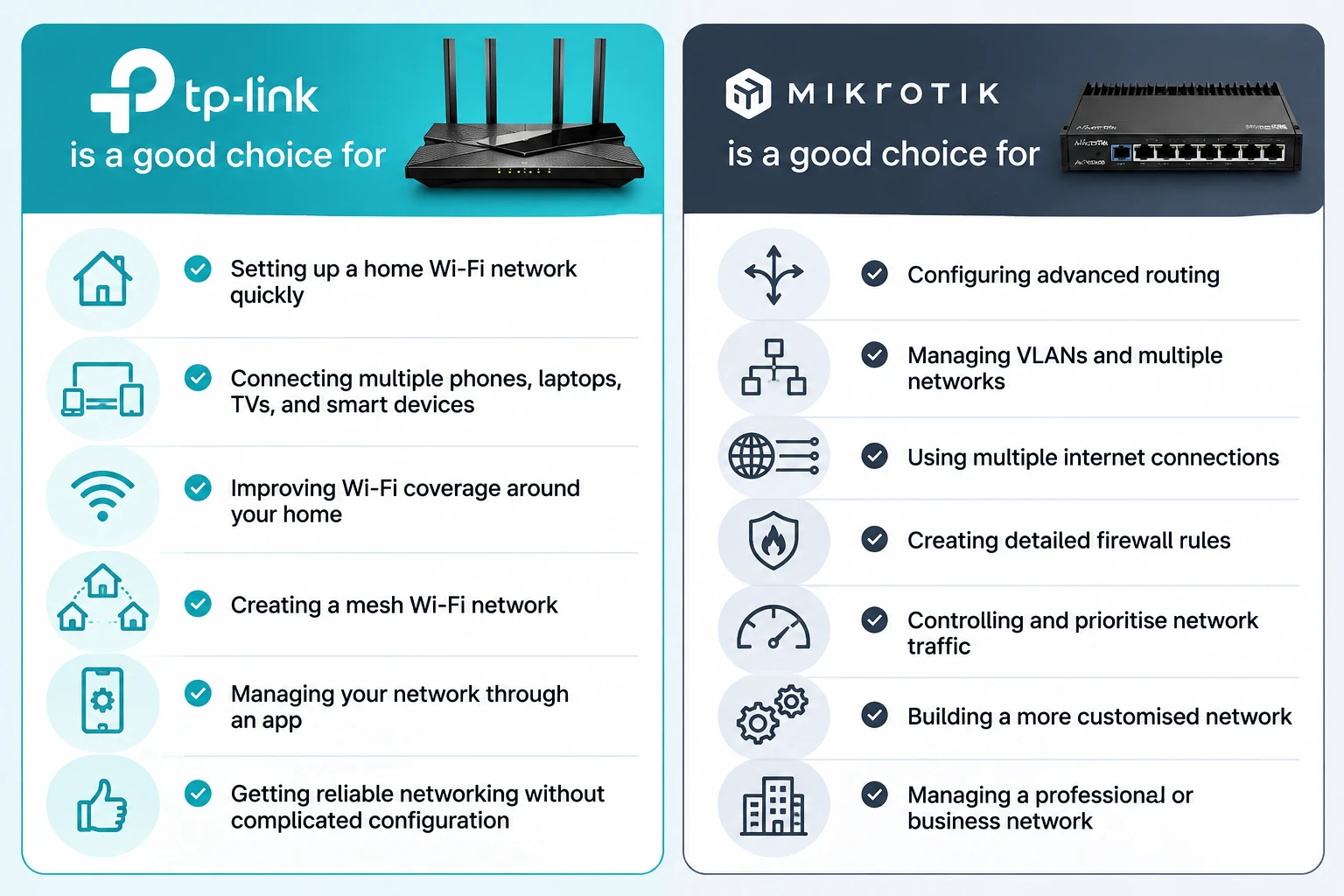
Which is considered better for consumer wifi?
If consumer Wi-Fi performance and ease of use are your main priorities, TP-Link is generally the better choice.
TP-Link has a large range of wireless routers, from affordable dual-band models to high-end Wi-Fi 6 and Wi-Fi 7 routers. Features such as EasyMesh also make it possible to expand coverage without replacing the entire network.
MikroTik also offers routers with wireless connectivity, but the brand's main strength is its networking and routing capabilities rather than competing purely on consumer Wi-Fi features.
For a home where the main requirement is good wireless coverage for phones, laptops, TVs, cameras, and other devices, TP-Link is usually the simpler option.
Is it possible to use a MikroTik router with TP-Link access points?
Yes. You can use a MikroTik router with TP-Link access points, and this can be a useful setup when you want the advanced routing capabilities of MikroTik along with the simpler Wi-Fi management offered by TP-Link.
In this type of network, the MikroTik router handles tasks such as routing, firewall rules, VPNs, and managing the internet connection, while the TP-Link access points provide Wi-Fi to phones, laptops, cameras, and other wireless devices.
For example, a business could use a MikroTik router as its main gateway, connect it to a network switch, and then connect one or more TP-Link access points to the switch. The MikroTik handles the network configuration, while the TP-Link access points take care of wireless connectivity.
This can be a good option if you already have a MikroTik router but prefer TP-Link's approach to Wi-Fi. It also means you don't have to replace your entire network when adding equipment from another brand.
So, MikroTik and TP-Link can work together, but the best combination depends on how much control and centralized management you need from your network.