
 HD Cameras and Webcam
 Projectors and Speakers
 VOIP Phones and Gateway
 Access Control
 LTE and 5G Devices
 Smart Sensors And Automation
 Fiber and SFP Modules
 Firewall & Cloud Controllers
 Network Adapters and Accessories
 Network Switches
 PoE Switches
 Point To Point Wireless Radio
 Routers
 Wireless Access Points
 IP Cameras
 Memory Cards
 NVR
NVR Smart WiFi Cameras
 Storage Devices
 Desktop & Laptop RAMs
 Internal and External Hard Drives
 Storage Accessories and Enclosures
 SSD and NVMe Drives
 USB Flash Drives


Best budget 2.5G network switch for home lab, gaming and small office (top 5 picks)

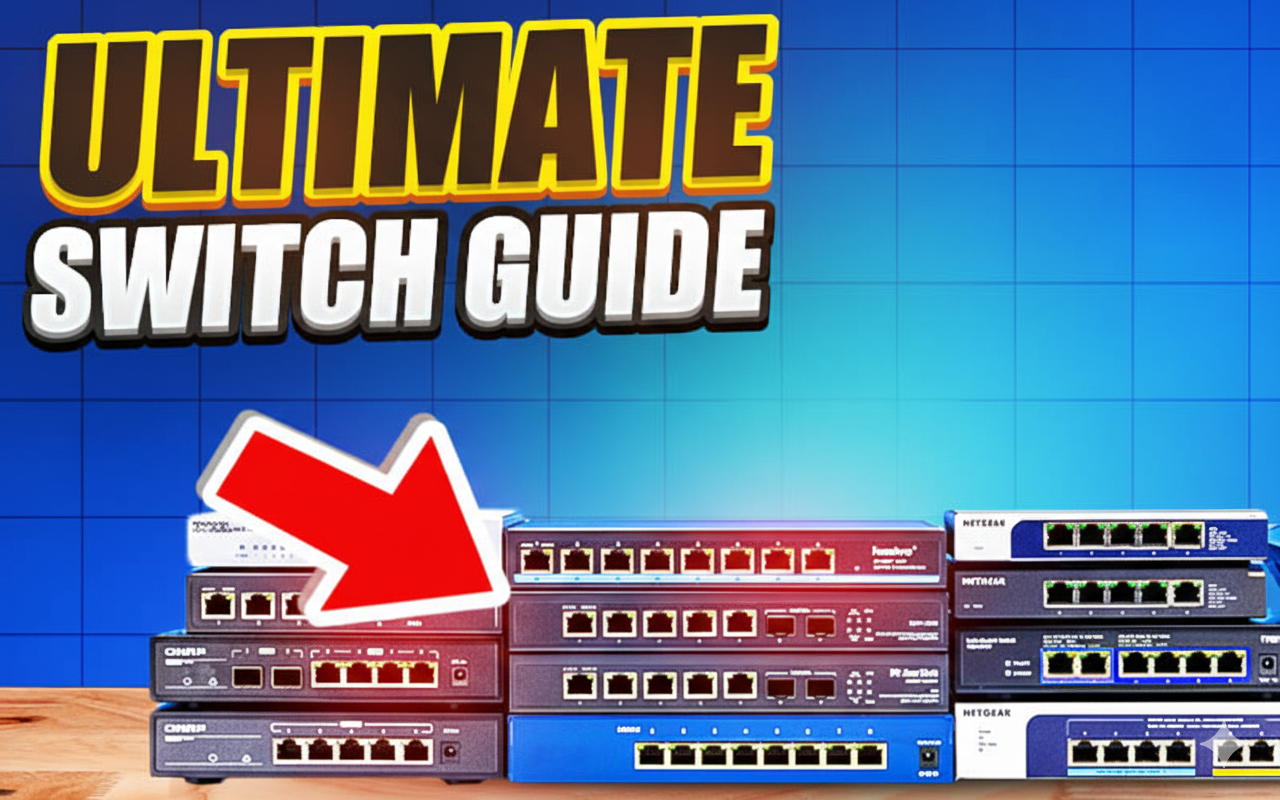
The best budget 2.5G network switch is the MikroTik CRS310-8G+2S+IN if you need managed features with dual 10G SFP+ uplinks for a homelab or small office, the UniFi USW-Flex-2.5G-8-PoE if you want to power Wi-Fi 6/6E access points and cameras over PoE while staying in the UniFi ecosystem, the Grandstream GWN7700M if you want a rugged metal PoE switch with a 10G SFP+ uplink and zero configuration, the D-Link DMS-108 if you want the cheapest 8-port 2.5G upgrade with no frills, and the UniFi USW-Flex-2.5G-5 if you need a tiny USB-C powered switch for a desk or travel bag.
All five work over standard Cat5e/Cat6 cables you already have. 2.5G switches deliver up to 2.5 Gbps per port, which is 2.5 times faster than Gigabit without the cost and complexity of 10G. Modern Wi-Fi 6/6E/7 routers, NAS devices, and motherboards increasingly ship with 2.5G ports, so staying on 1G creates a bottleneck for backups, large file transfers, and local streaming.
What is a 2.5G Network Switch?
A 2.5G network switch is an Ethernet switch that supports 2.5 Gigabit per second on each port, usually auto‑negotiating between 1G and 2.5G depending on the device connected. In most small networks, it acts as the central hub, connecting PCs, NAS, access points, and other LAN devices at higher speeds than a traditional 1G switch.
Compared to 10G switches, 2.5G gear is cheaper, runs cooler, and rarely requires special cabling, making it a practical upgrade step for home and small business users. The best budget 2.5G switches in this guide range from simple unmanaged plug‑and‑play models to fully managed Layer 3 devices with advanced features like VLANs and link aggregation.
Is a 2.5G switch worth it for gaming?
A 2.5G switch will not reduce your ping or lower your latency in online games. Ping is determined by your internet connection, server distance, and routing, not by how fast your local switch moves packets. An unmanaged gigabit switch and a 2.5G switch will give you the same ping in Valorant or CS2.
Where 2.5G helps is throughput. Downloading a 100 GB game from Steam takes roughly 14 minutes over Gigabit (assuming your internet is fast enough). Over 2.5G, the local network side is no longer the bottleneck. If you are streaming gameplay from a local PC to another device (Steam Link, Moonlight, Parsec) or running a local game server that multiple players connect to, 2.5G gives you more headroom for those local transfers.
If you want to prioritize gaming traffic over other devices on your network, you need a managed switch with QoS (Quality of Service). Unmanaged switches treat all traffic equally, so a large NAS backup running in the background will compete with your game traffic for bandwidth. With QoS, you can tell the switch to prioritize your gaming PC’s port over everything else.
Top 5 Best Budget 2.5G Switches (From This Lineup)
1. MikroTik CRS310‑8G+2S+IN – Best Overall 2.5G Lab/Office Switch, gaming
The MikroTik CRS310‑8G+2S+IN is the best overall 2.5G network switch in this list if you want multi‑gig plus serious management features.
- 8× 2.5G Ethernet ports and 2× 10G SFP+ ports for high‑speed uplinks or stacking.
- Supports RouterOS and SwOS, VLANs, link aggregation, ACLs, jumbo frames, and basic Layer 3 routing using a dedicated Marvell switch chip.
- Ideal as a core or distribution switch in home labs and small offices that plan to scale into a 10G backbone.
- Fully managed control with advanced networking features for professional deployments.
- RouterOS supports QoS (queue trees and simple queues), which lets you prioritize traffic from specific ports or devices. Useful if you are running a gaming PC alongside NAS backups and want to make sure game traffic gets priority.
Best For: Gaming, small offices and Home labs who need VLANs, 10G uplinks, and QoS to prioritize gaming or critical traffic over other devices on the network.

2. UniFi USW‑Flex‑2.5G‑8‑PoE – Best UniFi 2.5G PoE Switch
For UniFi users, the USW‑Flex‑2.5G‑8‑PoE is the best budget 2.5G PoE switch to power APs and cameras while providing multi‑gig links.
- 8× 2.5G PoE++ ports plus a 10G combo port (RJ45/SFP+) for high‑speed uplink to an aggregation switch.
- Fully managed via the UniFi Network Controller, with centralized VLANs, monitoring, and firmware management.
- Enough PoE budget to run multiple modern UniFi Wi‑Fi 6/6E access points that expose 2.5G uplinks.
- Compact form factor designed to fit in small cabinets or wall mounts.
Best For: UniFi users deploying Wi‑Fi 6/6E APs and cameras who want 2.5G plus PoE in a small, tidy form factor.

3. UniFi USW‑Flex‑2.5G‑5 – Best Compact 2.5G Travel/Desk Switch
The UniFi USW‑Flex‑2.5G‑5 is a compact, USB‑C powered 2.5G switch, ideal for portable setups and small desks.
- 5× 2.5G ports in a small plastic chassis, working as a plug‑and‑play unmanaged device for most users.
- USB‑C powered for maximum flexibility without requiring dedicated power infrastructure.
- Great for linking laptops, small PCs, and portable NAS devices for fast file sharing at events or in temporary workspaces.
- Works well as a “micro‑lab” 2.5G switch for creators and engineers.
Best For: Travelling professionals, demo setups, and small desktop clusters where size and simplicity matter more than PoE or deep management.

4. Grandstream GWN7700M 5‑Port PoE – Best Metal 2.5G PoE Switch
The Grandstream GWN7700M 5‑port PoE model is a rugged metal 2.5G switch that focuses on reliability and simple deployment.
- 5× 2.5G Ethernet ports with PoE on all ports and a dedicated 10G SFP+ uplink for backhaul.
- Full metal housing for better heat management and durability, ideal for wall‑mount or cabinet installs.
- Pairs nicely with Grandstream Wi‑Fi 6/6E access points and VoIP devices that leverage 2.5G uplinks.
- Unmanaged layer 2 switch with simple plug‑and‑play operation.
Best For: Small offices and installers deploying Grandstream APs who want a rugged 2.5G PoE edge switch at a reasonable price.

5. D‑Link DMS‑108 – Best No‑Frills Budget 2.5G Switch
The D‑Link DMS‑108 is the simplest best‑budget 2.5G switch here, aimed at users who just want multi‑gig with no extra features.
- 8× 2.5G ports, fanless, unmanaged, with around 40 Gbps switching capacity in a metal housing.
- No PoE and no configuration, which keeps the price and complexity low for basic home lab or office upgrades.
- Great for rack‑to‑rack, server‑to‑server, or NAS‑to‑PC connectivity at 2.5G speeds.
- Fully metal build for durability and passive cooling without noise.
Best For: Simple 2.5G backbones (rack‑to‑rack, server‑to‑server) and users who don’t need PoE or VLANs but want higher speed than Gigabit.

Final Recommendation
Pick the MikroTik CRS310-8G+2S+IN if you are building a homelab with VMs, a firewall, and plans to add 10G devices later. It is the only switch here with full Layer 3 routing, VLANs, and dual 10G SFP+ uplinks.
Pick the UniFi USW-Flex-2.5G-8-PoE if you are deploying Wi-Fi 6/6E access points and IP cameras in a UniFi network and want one switch that handles 2.5G, PoE, and centralized management.
Pick the Grandstream GWN7700M 5-port PoE if you are an installer or small office that needs a rugged, silent PoE switch with a 10G SFP+ uplink and no configuration. It pairs well with Grandstream APs and VoIP phones.
Pick the D-Link DMS-108 if you want the simplest, cheapest way to get 2.5G between your NAS and PC without touching a single setting. No PoE, no management, no noise.
Pick the UniFi USW-Flex-2.5G-5 if you need a portable 2.5G switch for a desk, a demo setup, or a room where space is tight and USB-C power is more convenient than a DC adapter.
All five deliver real multi-gig performance over your existing Cat5e/Cat6 cables. The decision comes down to three things: do you need PoE (UniFi 8-PoE or Grandstream), do you need managed features like VLANs (MikroTik or UniFi 8-PoE), and are you in a specific ecosystem that narrows the choice (UniFi users go UniFi, Grandstream VoIP users go Grandstream, everyone else picks on features and price).
Frequently asked questions
Which is the best budget 2.5G switch for home lab?
For most home labs, the MikroTik CRS310‑8G+2S+IN offers the best balance of 2.5G ports, 10G uplinks, and advanced features at a reasonable price. If you prefer the UniFi ecosystem, the USW‑Flex‑2.5G‑8‑PoE is an excellent alternative.
Which 2.5G switch is best for UniFi access points?
The UniFi USW‑Flex‑2.5G‑8‑PoE is the top choice if you want 2.5G + PoE and tight integration with the UniFi controller. It simplifies wiring and power distribution for modern UniFi APs.
Is 2.5G worth it over 1G?
Yes, if you use NAS, Wi‑Fi 6/6E, or do large file transfers, a 2.5G switch can significantly reduce transfer times without requiring new cabling. The performance boost is especially noticeable for:
- Backing up large volumes of data to network storage.
- Streaming 4K/8K video from local NAS to multiple devices.
- Running multiple high‑bandwidth users on the same network segment.
- Future‑proofing your network for emerging devices with 2.5G ports.
What is the difference between managed and unmanaged 2.5G switches?
Unmanaged switches (D‑Link DMS‑108, UniFi USW‑Flex‑2.5G‑5) plug in and work immediately with no configuration. They are ideal for simple, small deployments.
Managed switches (MikroTik CRS310, UniFi USW‑Flex‑2.5G‑8‑PoE) allow VLAN configuration, link aggregation, ACLs, and monitoring via a web or controller interface. Choose managed if you plan to segregate traffic or scale your network.