
 HD Cameras and Webcam
 Projectors and Speakers
 VOIP Phones and Gateway
 Access Control
 LTE and 5G Devices
 Smart Sensors And Automation
 Fiber and SFP Modules
 Firewall & Cloud Controllers
 Network Adapters and Accessories
 Network Switches
 PoE Switches
 Point To Point Wireless Radio
 Routers
 Wireless Access Points
 IP Cameras
 Memory Cards
 NVR
NVR Smart WiFi Cameras
 Storage Devices
 Desktop & Laptop RAMs
 Internal and External Hard Drives
 Storage Accessories and Enclosures
 SSD and NVMe Drives
 USB Flash Drives


Static IP not working? Why Bridge Mode breaks, Routers revert to NAT and your ISP can’t fix it

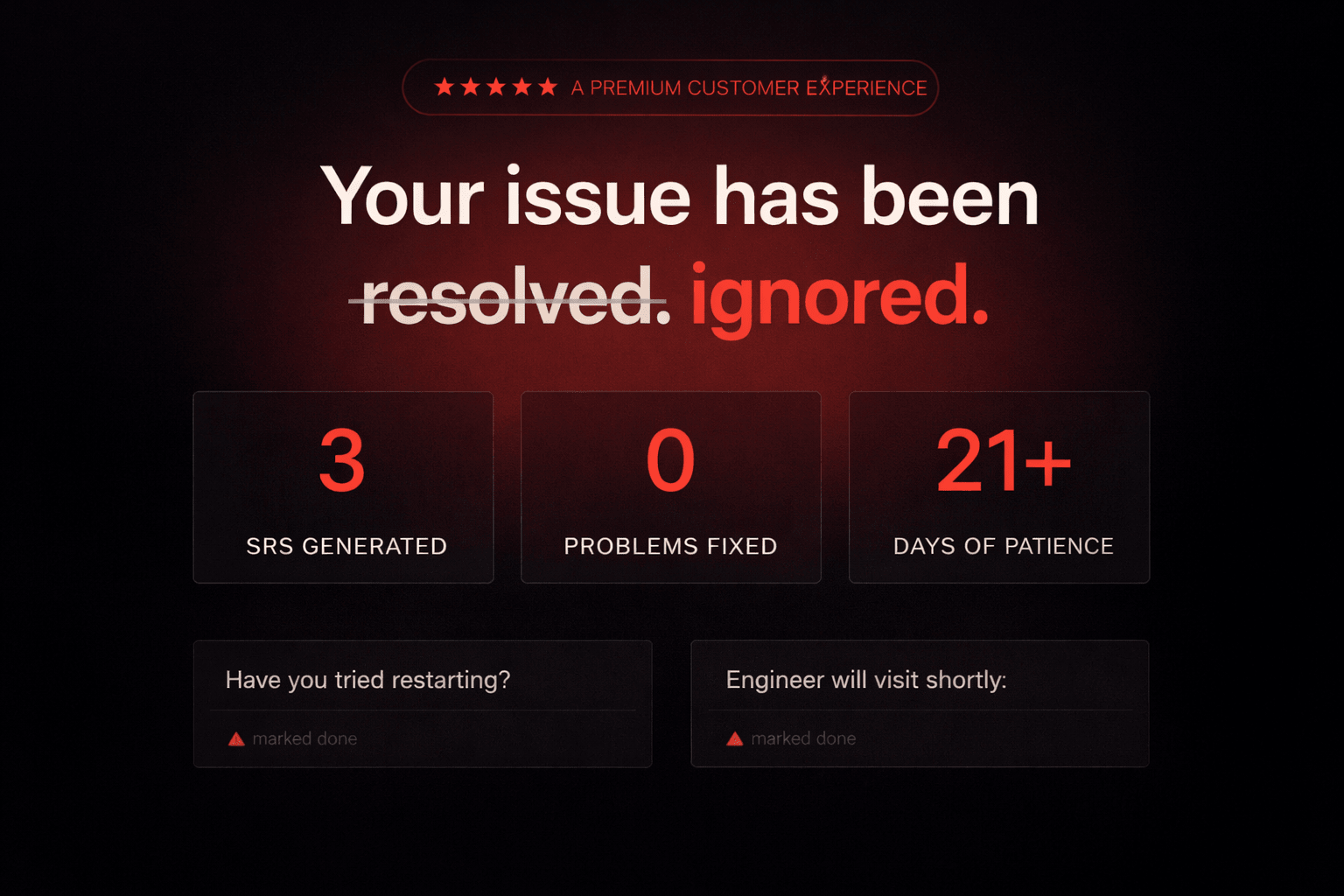
If your static IP is not working, this is usually where the story begins.
In this issue of Tech Tomrrow, we discuss why a working static IP can quietly stop working overnight, why three engineer visits couldn't fix it, and the protocol running on your router right now that's part of the reason.
Earlier this year, a frustrated Airtel customer bought a domain called airtelblack.com and built a satirical website about his own ISP on it. A bingo card of broken promises. A fake letter from the CEO. A real timeline of his outage. The story went viral. News outlets picked it up within a week.
It's a funny story. It's also not the interesting part.
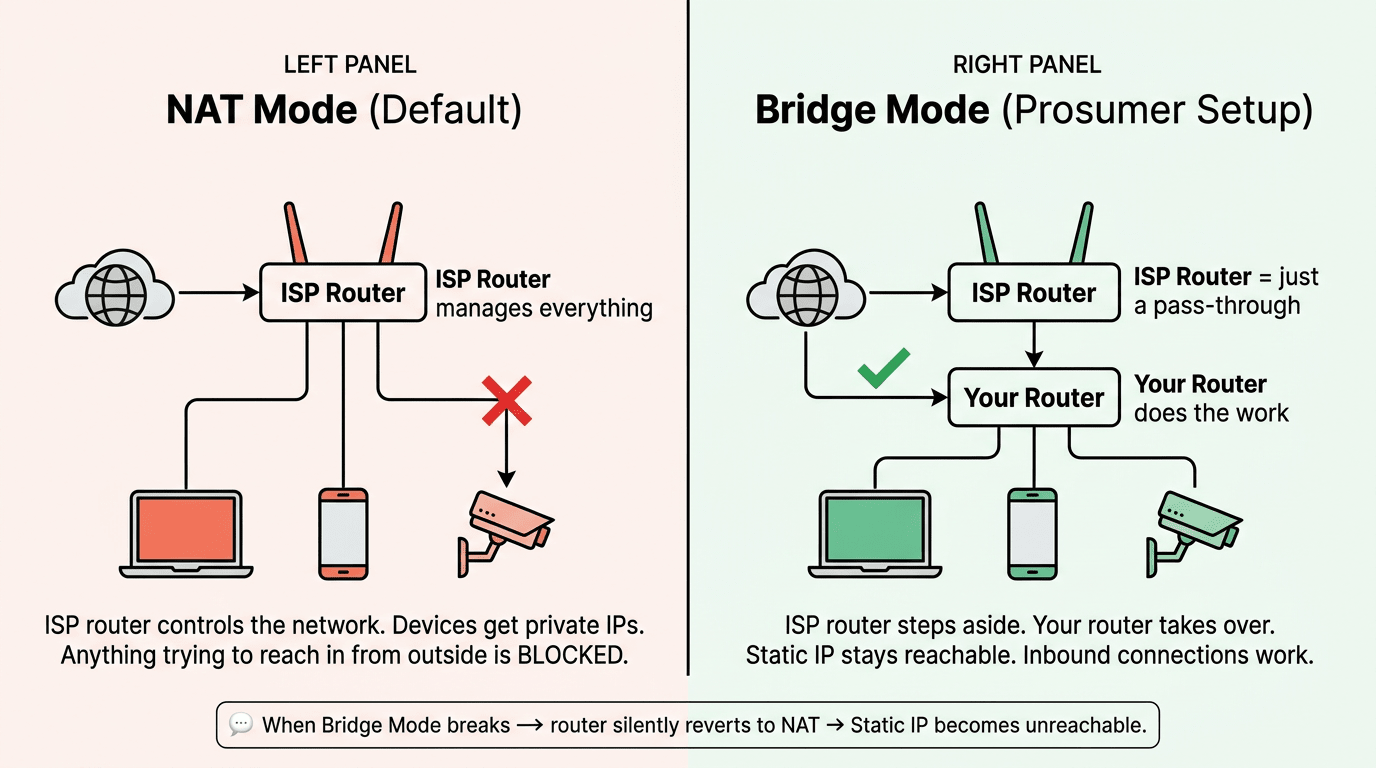
Here's what actually happened to him, from his own published timeline. He had a working setup: static IP, bridge mode, his own router doing the work. One night, the bridge mode broke. The router reverted to standard NAT mode on its own. The static IP became unreachable. Nothing in his house had changed.
He raised three service requests over 21 days. Each one came back marked "resolved." None of them were resolved. A field engineer visited, opened Chrome, typed google.com, watched it load, and declared the connection working. Bridge mode was still off. Still the static IP is not working. (Source: airtelblack.com timeline page.)
Think about it. A working setup broke on its own, and the support system was designed in a way that made it almost impossible to fix. Both of those things have specific, technical reasons. Neither is bad luck.
Quick word before we go further. We're going to use the word "prosumer" a lot in this issue. A prosumer is someone who uses the internet for more than streaming and scrolling. Running CCTV cameras you can check from your phone. Hosting a small server. Working from home with a VPN into your office. If that's you, the rest of this issue is about why your ISP keeps treating you like it isn't.
1. The router you can't replace
When you take a fiber connection from a large ISP in India, you get their router. Not a router. Their router. If you ask to use your own, the answer is some version of "we don't support that."
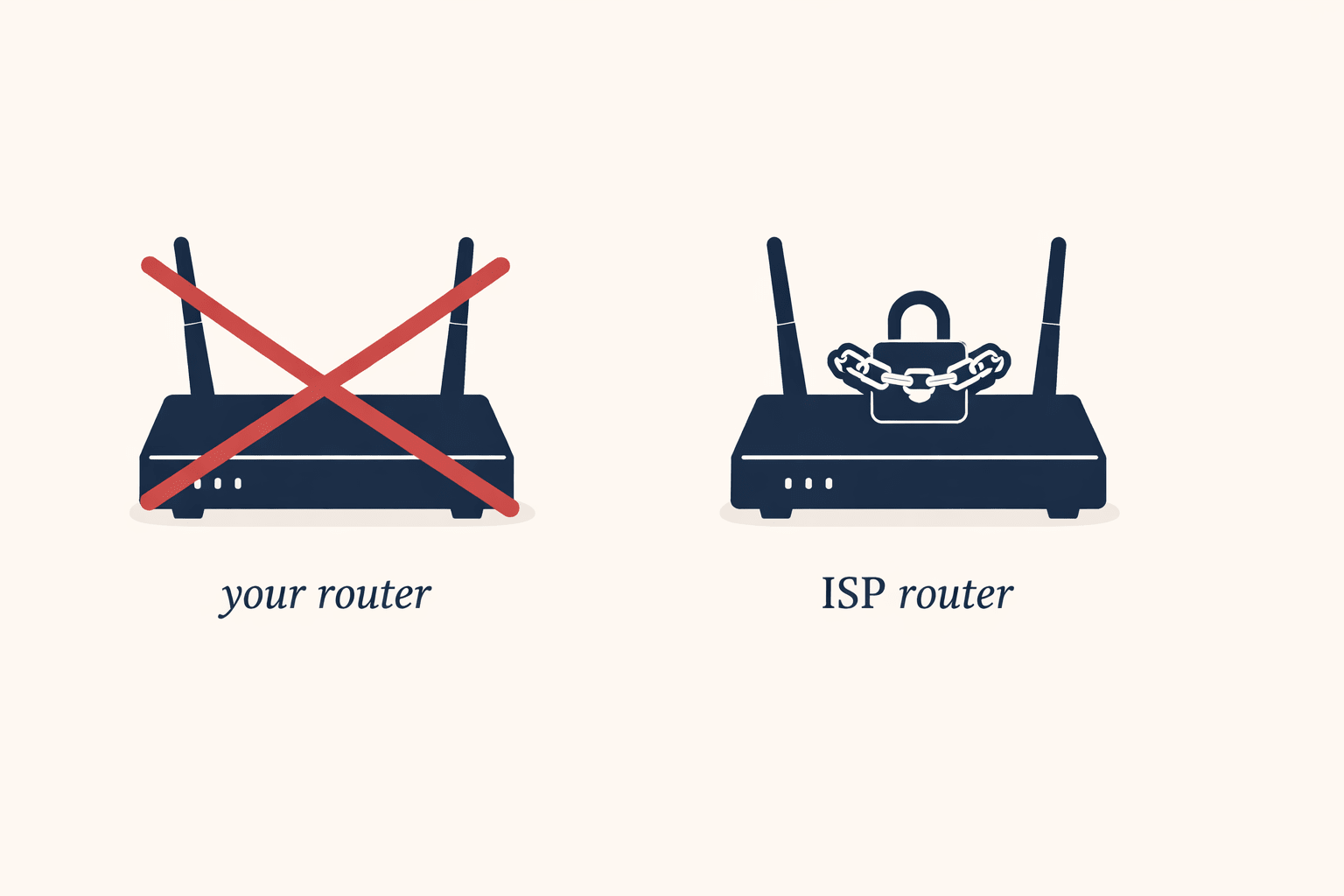
Think of it like buying a flat and being told you can only use the fridge the builder installed. The builder's fridge isn't bad. But if it breaks, you can't replace it with a better one. If you want a model that talks to your other appliances, also no. The fridge stays.
Why do ISPs do this? Two reasons.
The first one is operational. Their support team is trained on one device, one firmware, one web interface. If every customer is on the same router, the support call resolves faster on average. That's real, and most of the benefit goes to the ISP.
The second one is the one they don't put on the brochure. As long as the router is theirs, the customer relationship runs through their hardware. You can't easily switch ISPs without learning a new setup. You can't run features they haven't enabled. And when something breaks, you can't open the box and see what changed, because the box isn't yours to look inside.
The router is also the part of a home internet setup that fails most often. Not the fiber line. Not the ISP's backbone. The box on your wall. So the part most likely to break is also the part you can't choose or replace.
2. The remote control protocol that's running on your router right now
There's a piece of software running on your ISP router called TR-069 (sometimes written as CWMP (CPE WAN Management Protocol)). It's been there since the day the router was installed. Almost every consumer ISP in the world uses some version of it.
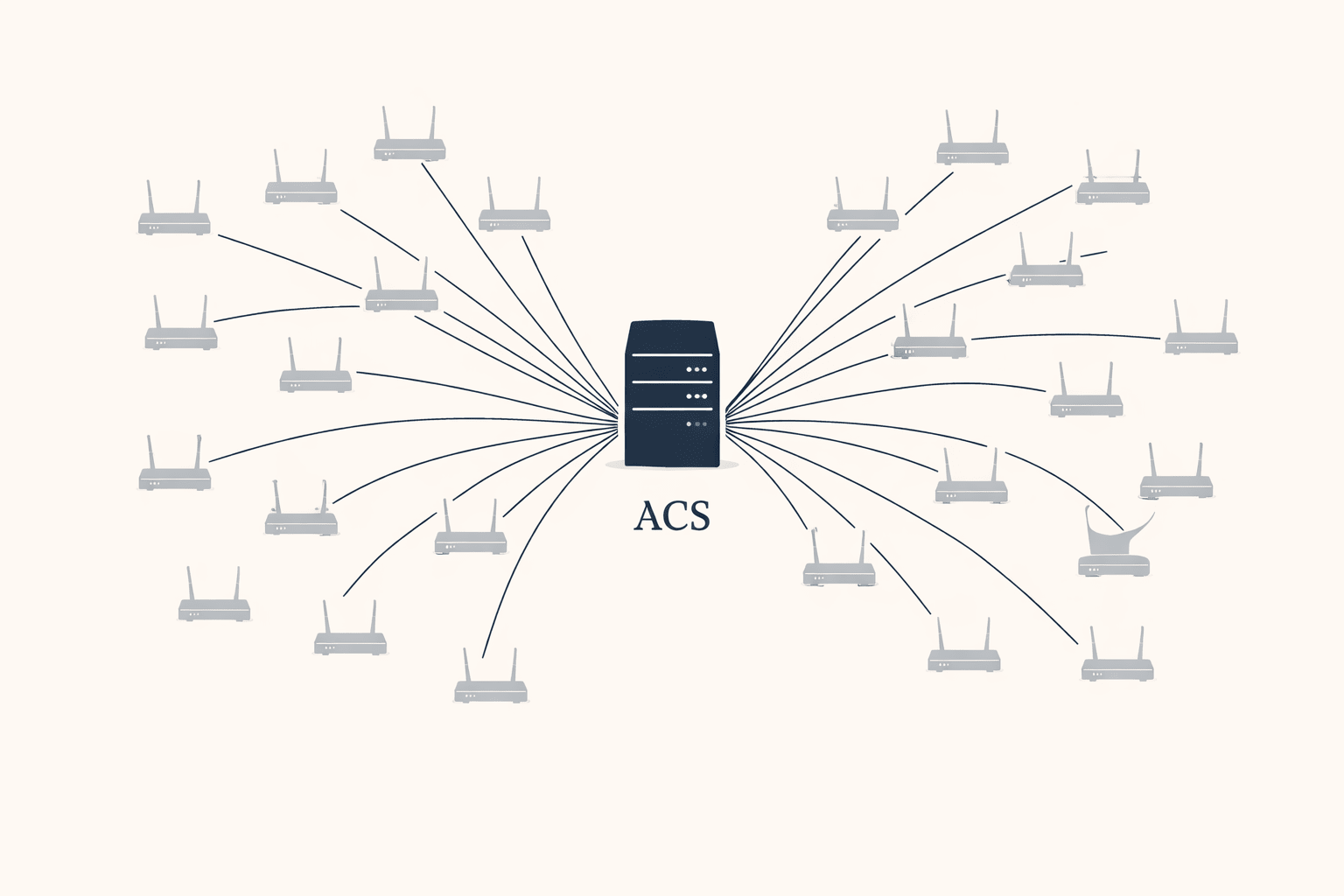
In plain terms, TR-069 is how your ISP reaches into your router from their office and changes things. Push a firmware update. Reset your WiFi password. Reboot the box. Change network settings. All of it remote, all of it without asking you, all of it built into the router from the day it ships.
On paper this is good for everyone. The ISP saves money on support calls. Security patches go out automatically. Your router updates itself overnight without you having to do anything. This is also why ISPs continue using TR-069 even though it has well-documented risks: the alternative is sending a technician to every house every time something needs to change, and that's economically impossible at the scale they operate at.
There's a tradeoff worth knowing about, even though it's not what happened here. The same central server (ACS - Auto Configuration Server) that pushes fixes to millions of routers is also a single point of failure for all of them. If someone breaks into that one server, they don't get into one router. They get into every router it controls at the same time. This isn't theoretical; in 2016, a TR-069 related attack hit roughly 900,000 Deutsche Telekom customers, causing crashes and outages for a significant portion of them. It's a known category of risk in security circles. It just doesn't get talked about in customer-facing material because most customers don't know the protocol exists. The same thing happened with BIS ER-01, the cybersecurity certification for CCTV cameras, most camera buyers had never heard of it until the regulation forced it into the open. TR-069 is still in that earlier phase. Running in the background. Doing things you didn't approve. With no regulatory conversation around it yet..
And here's the part that connects to the airtelblack story. The same TR-069 system that pushes firmware updates also pushes configuration changes. Things like bridge mode settings. Static IP routing rules. VLAN tags. According to a detailed Airtel bridge mode walkthrough on techmesto.com, "the config is set up and transferred to your router through the TR-069 profile." That's how Airtel turns bridge mode on. It's also plausibly how it gets turned back off. A routine config refresh from the ACS server can overwrite whatever the customer had working, overnight, without anyone touching anything.
That's not a security flaw. It's the system working as designed. The ISP needs to be able to push config changes to fix things at scale. The cost is that the same channel can break things at scale. The customer has no visibility into either direction.
The customer can't see what TR-069 just did. The customer can't roll it back. The customer can't even check whether something was pushed at all. And when bridge mode breaks the next morning, the customer has no way to point at the actual cause. Which brings us neatly to the third part.
3. When a “Static IP” stops being static
Quick definition first. A static IP is an internet address that doesn't change, which is what you need if anything has to reach your location reliably from outside: CCTV you check from your phone, a VPN to your office, a small server, anything self-hosted. ISPs charge extra for it. Customers buy it because they need it.
Does this mean that you always need a static IP for CCTV?
Not always. Most modern cameras use a cloud relay; the camera calls out to a server, your phone connects to it, no inbound connection needed. But if you're running your own NVR, using DDNS, or want direct access without routing through a manufacturer's cloud, you do, and that's exactly where CGNAT quietly kills your setup without warning.
The interesting thing in 2026 isn't getting a static IP. Most ISPs sell them. The interesting thing is what happens when one stops behaving like a static IP. When the address you're paying for to stay fixed quietly stops being fixed. When bridge mode breaks and the router silently reverts to NAT, which has the side effect of making your static IP unreachable. When the technical answer from support is some version of "sir, that is expected behaviour."
Expected by whom? Not by the customer paying ₹3,999 a month for it.
There are two common technical-sounding answers customers get when this happens, and both deserve unpacking.
"We've migrated to IPv6"
IPv4 and IPv6 are two versions of the addressing system the Internet uses. IPv4 is the old one and the world is running out of addresses. IPv6 is the new one with effectively unlimited addresses. The migration from one to the other is real, it's been happening for years, and it's a real engineering challenge.
None of that is a reason your existing static IPv4 should stop working. "We've moved to IPv6" has become the polite version of "server issue in your area." It sounds technical, it ends the conversation, and it doesn't solve anything.
"You've been moved to CGNAT"
CGNAT (Carrier-Grade NAT) is a shared address. Instead of giving you your own public IP, the ISP gives you one that's shared with hundreds of other customers. It's cheaper for them because IPv4 addresses are expensive. The catch: a shared address can't accept incoming connections, which is the entire point of having a static IP in the first place. Your CCTV stops being reachable. Your VPN stops working. Your self-hosted anything stops being self-hosted. From the outside, it looks like your static IP is not working. In reality, the connection has been moved behind CGNAT.
Some ISPs blur these two. They tell customers they've been "migrated to IPv6" when they've actually been moved to CGNAT. The first sounds like progress. The second sounds like a downgrade. They're not the same thing, and the customer paying for a static IP needs to know which one happened to them.
How the system is designed to hide itself?
Stack the three on top of each other and the pattern is clear.
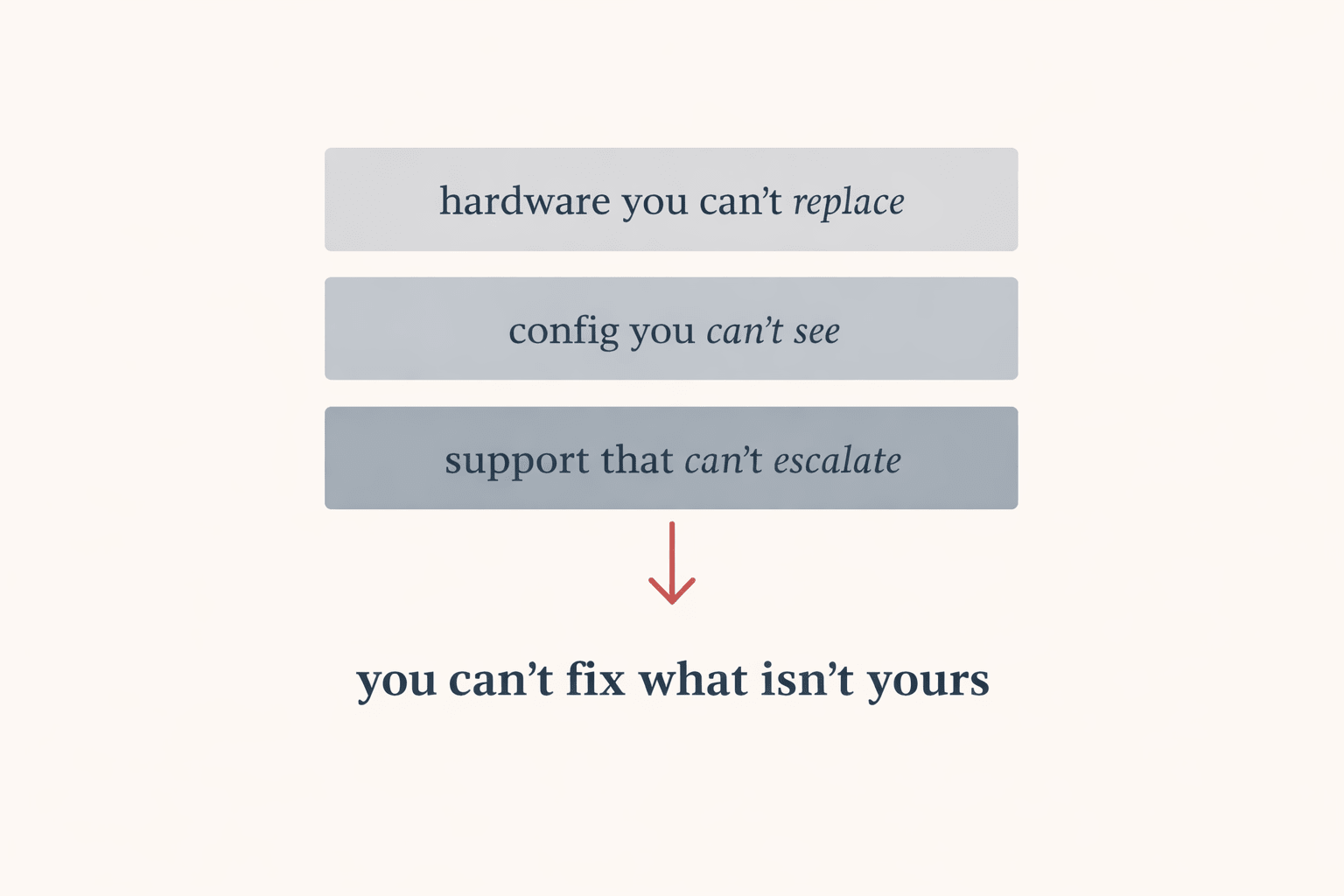
The router belongs to the ISP. The config on it gets pushed and pulled by a remote system the customer can't see. And when something breaks, the support layer is trained to close tickets, not to dig into what changed. Each layer hides the layer below it. The customer sits at the top of the stack with no visibility into any of it.
This setup works fine for a household with one phone, a laptop, and a TV. Standardise the hardware, manage it remotely, close tickets fast, move on. The model is built for the average customer and most customers are average.
It falls apart for prosumers. The customer running CCTV. The freelancer with a home office. The small business with a VPN. These are the customers paying more: business plans, static IP add-ons, higher tiers, and they're also the customers the standardised model serves worst. The system isn't broken for them. It's just not built for them. That's the gap airtelblack.com pointed at.
The customer at the centre of airtelblack.com eventually got a phone call from Airtel HQ. They refunded his 30 days of broken service and asked, politely, if he could take the site down. He agreed. The site is now scheduled to auto-expire on June 19, 2026, with what he calls a "dead man's switch" that brings it back online if new verified complaints arrive at [email protected].
It took 21 days, three closed tickets, a viral website, and national press coverage to get one customer's ₹3,999 refunded. The system worked exactly as designed for everyone except him.
What this means if your internet is also a tool
If your static IP is not working, the problem is often upstream; not inside your home network. So before you buy a static IP plan, ask in writing whether it's a real public IPv4 address or a CGNAT address. "Static" alone doesn't mean what it used to. Get the answer in email, not over a phone call you can't reference later.
If you want to use your own router, ask whether the ISP supports bridge mode. Bridge mode means their router stops trying to do routing work and just passes the connection through to yours. Some ISPs allow it. Some don't. Some allow it and then break it during a config refresh, which is the airtelblack situation. Ask whether the bridge mode setting persists after a firmware update. The honest ones will tell you they can't guarantee it.
If your connection breaks and two or three service requests come back as auto-closed without a fix, the formal escalation path in India is TRAI's CGMS portal (Consumer Grievance Management System). It's slow and bureaucratic. It also gets logged in a place the regulator counts, which large ISPs respond to faster than they respond to phone calls. The airtelblack route is funnier. CGMS is more reliable.
And the broader point. The Indian ISP market is consolidating. The players who figure out that prosumer reliability shouldn't be a premium upsell, that it should be the baseline for anyone paying for a business plan, will be the ones who keep those customers. The rest will keep getting websites written about them.
If this kind of deep-dive is useful to you, you might also like our piece on STQC certification; the deeper Indian government standard that goes beyond BIS ER-01 for CCTV cameras used in sensitive deployments. We broke down what STQC actually tests, why it matters, and which cameras are currently certified and available to buy in India.